



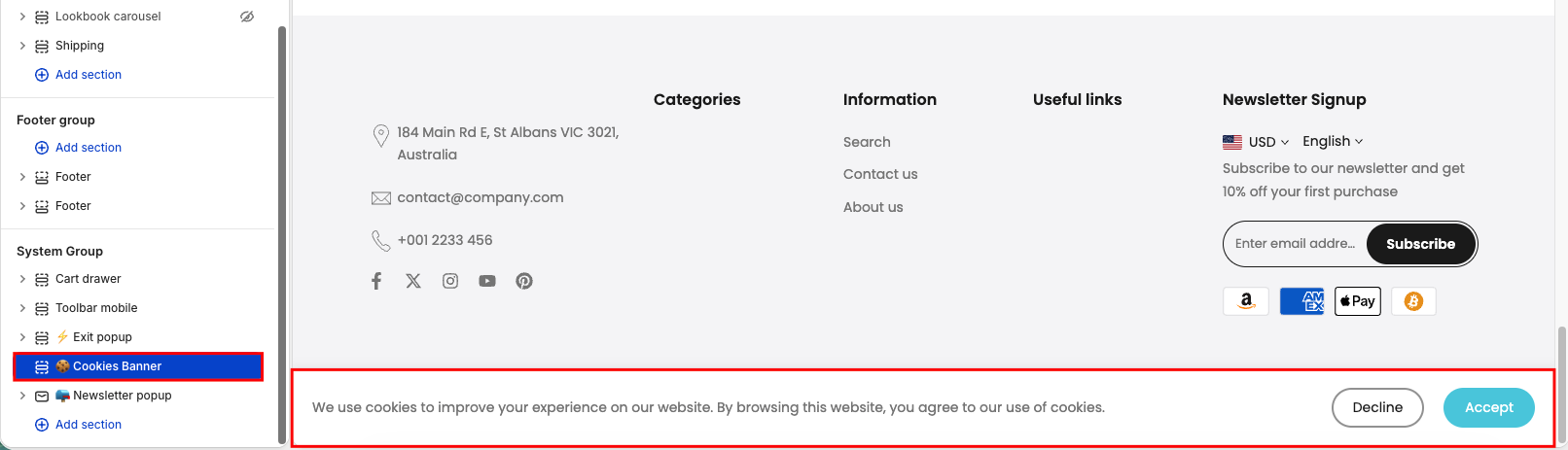
A cookies banner is a small notification displayed on a website that informs visitors about the use of cookies. It allows users to choose whether to accept or decline cookies, helping the store comply with privacy regulations.
Settings
Display colors by section
Enable this option to apply a specific color scheme to the cookie banner. You can select a predefined color scheme to match your store design.
Show cookie banner
Choose where the banner will be displayed:
All regions: Show the banner to all visitors.
Targeted regions for limited data collection: Display only in selected regions, useful for compliance with regional data privacy laws.
Banner content
You can fully customize the content of the cookie banner:
Text: Main message informing users about cookie usage.
Button "Accept": Label for accepting cookies.
Button "Decline": Label for rejecting cookies.
Button "More info": Label for additional information.
Link "More info": Add a URL (typically linking to your Privacy Policy or Cookie Policy page).
This flexibility allows you to align the banner content with your brand voice and legal requirements.


