



The Exit Popup is a feature designed to capture visitors’ attention right before they leave your store. It can be used to offer discounts, display promotions, or showcase recommended products or product carousel, encouraging users to complete their purchase instead of exiting.
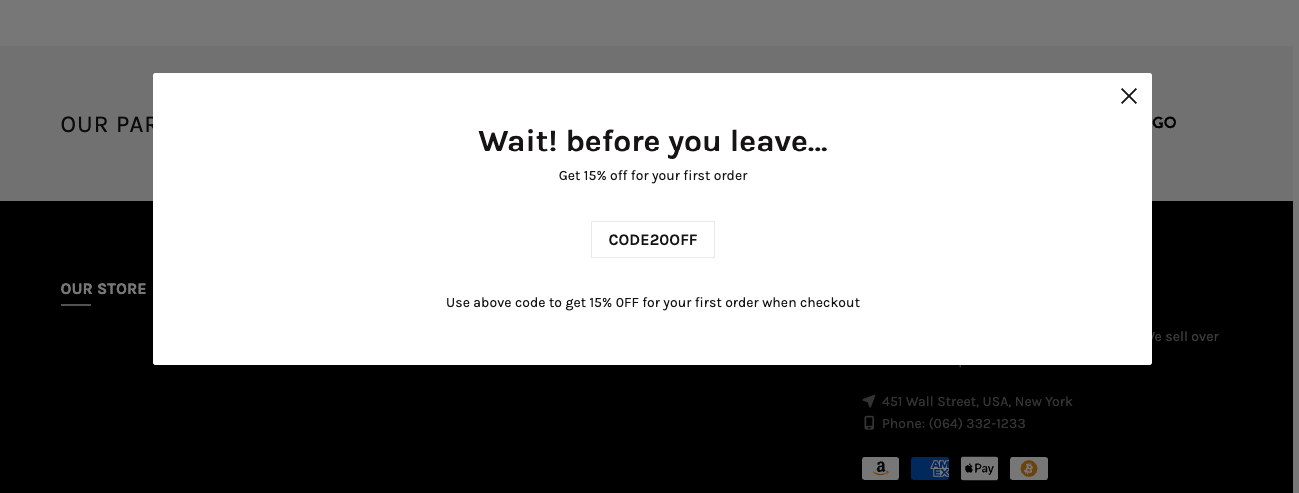
Settings:
Color scheme: Select a color scheme to apply to the popup for consistent styling across the design.
Image / Image mobile: Upload or choose an image for the popup, with the option to set a different image specifically for mobile devices.
Heading: Enter the main heading text displayed on the popup.
Collection / Product list: Select a product collection or specific products to display inside the popup.
Show popup trigger: Define when the popup appears based on user behavior. If you select Move cursor, the popup will display when the cursor moves away from the page. If you select Some time, it will appear after a set time delay. If you select Scroll, it will show when the user scrolls the page.
Select pages to display: Choose where the popup will be activated, including Home page, Product page, Collection page, Article page, Blog page, Cart page, or other pages.


