



Basel provides multiple flexible header layouts designed for different types of eCommerce stores and branding styles. From minimalist and centered headers to category-focused and conversion-optimized layouts, Basel helps create a professional and user-friendly shopping experience across all devices.
Note: We prioritize the top first section header to show. Please delete header sections that you do not use.
1. Header Base
The Header Base layout is the default and it provides a clean navigation structure with logo, search, menu, account, wishlist, and cart support. This header is fully responsive and optimized for both desktop and mobile devices.
For better performance and easier management, we recommend keeping only the header sections you are currently using and removing unused sections.
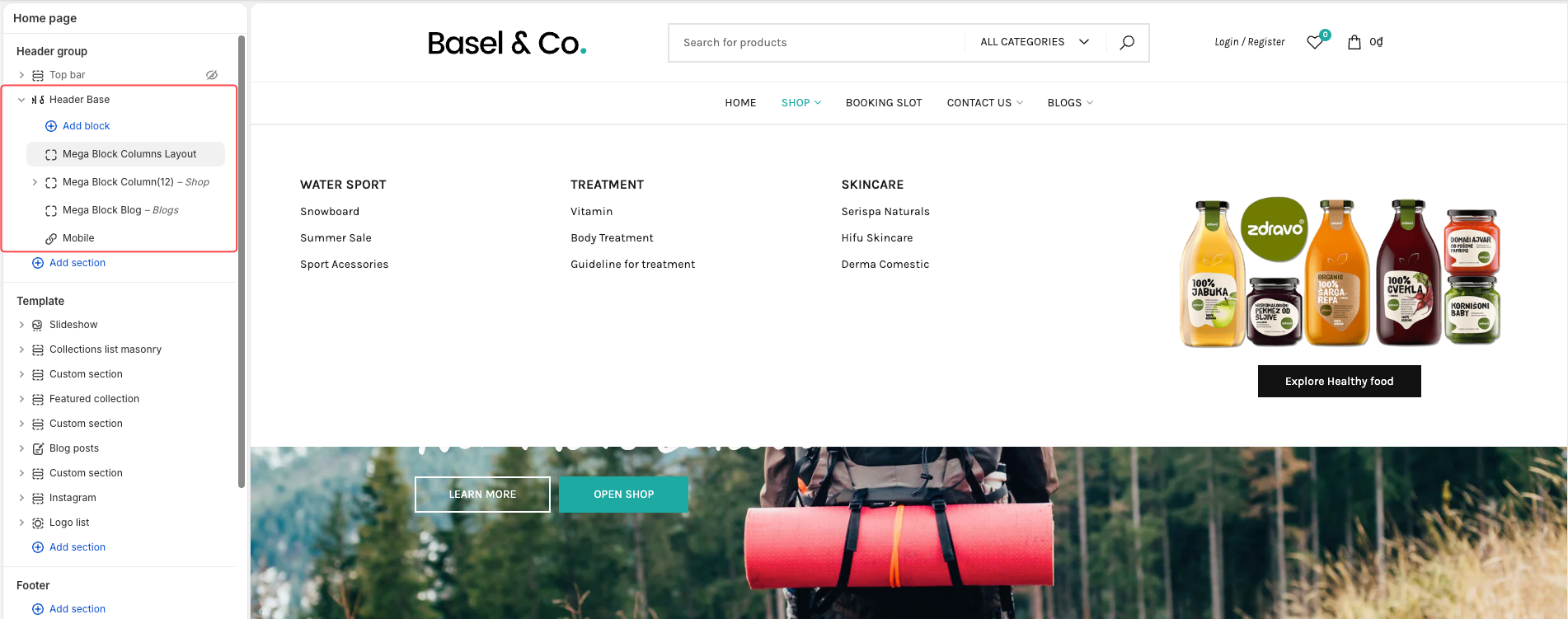
Supported Mega Menu Types
Basel supports multiple mega menu layouts to help you build advanced navigation menus:
Dropdown
Mega Block Blog
Mega Block Column(10)
Mega Block Column(12)
Mega Block Columns Layout
Mega Block HTML
Mega Block Products
Mega Block Shop
Mega Menu Guide
You can follow this guide to create and configure Mega Menu:
For detailed instructions about configuring Mega Block Column(10) and Mega Block Column(12), including adding columns and adjusting menu width/layout, please check:
Header Inline Configuration Guide
2. Header Categories
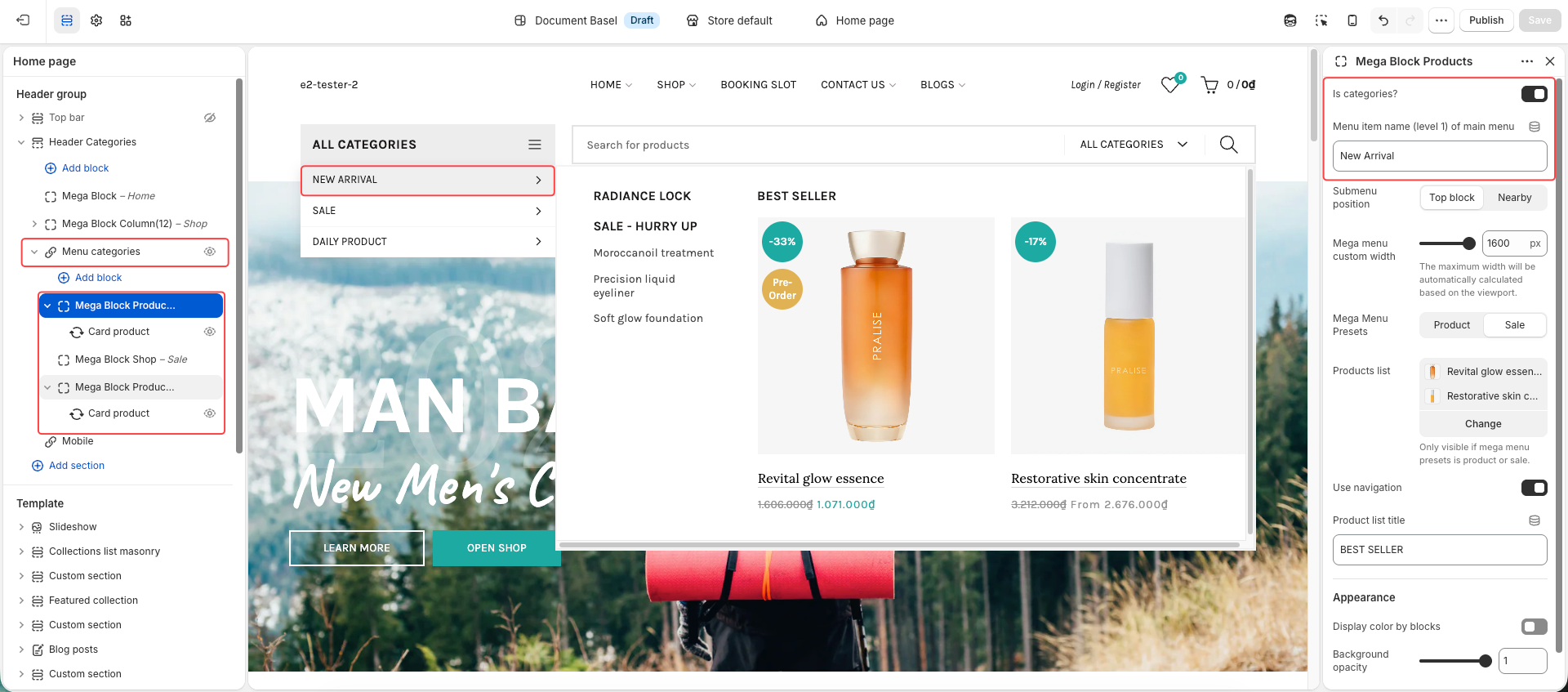
The Header Categories layout is designed for stores with large product catalogs and category-based navigation. It allows customers to quickly browse collections through a dedicated categories menu displayed on the left side of the header.
The mega menu configuration works similarly to other header layouts and supports all available Mega Block types.
Important Configuration - Menu categories
To display a mega menu inside the categories menu correctly:
Enable the Is Categories option.
Enter the exact menu item name you want to display the mega menu for.
This setting is required for the theme to recognize and attach the Mega Block to the correct category menu item.
3. Header Center
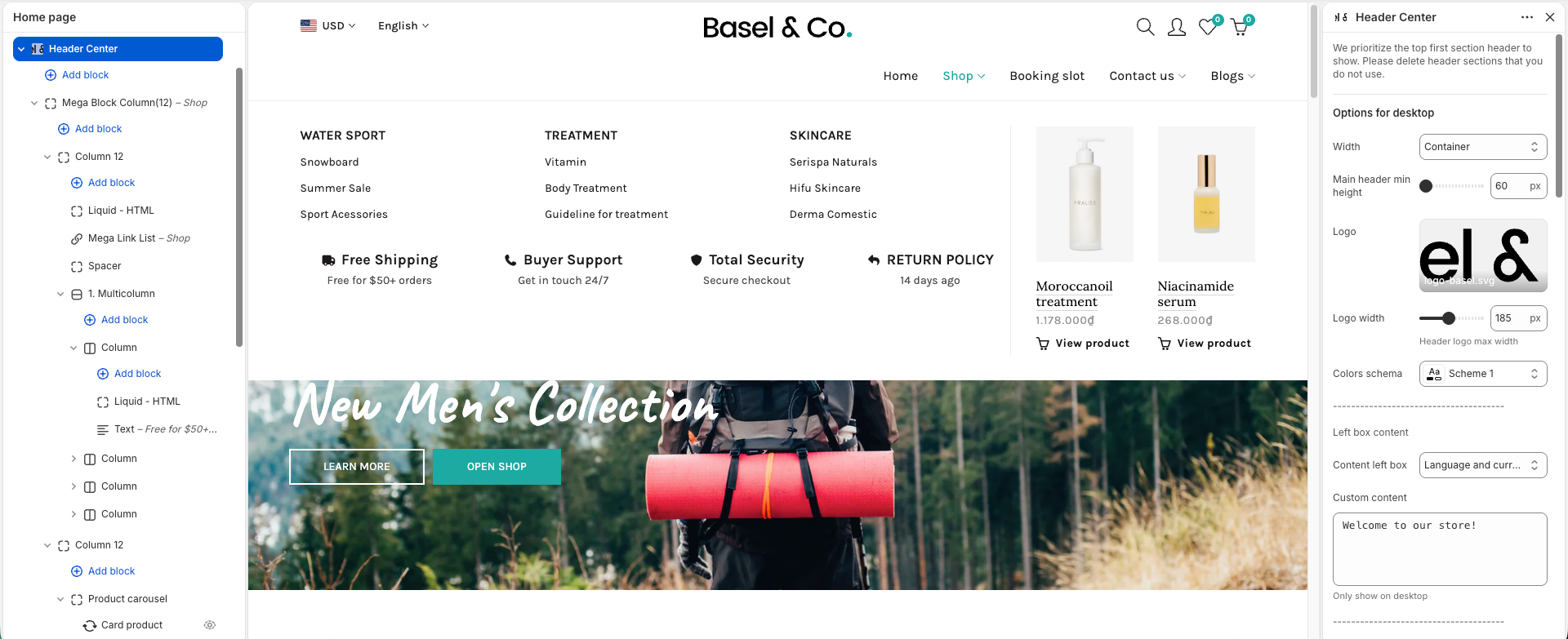
The Header Center layout places the logo in the center for a clean and balanced design.
The left content area supports only:
Custom text
Language and Currency switcher
The main menu will display below the logo section, and you can change the menu alignment using the Main menu position option:
Left
Center
Right
Mega Menu and Mega Block configurations work similarly to other header layouts.
4. Header Double Menu
The Header Double Menu layout splits the navigation menu into two sections with the logo displayed in the center, creating a balanced and modern header design.
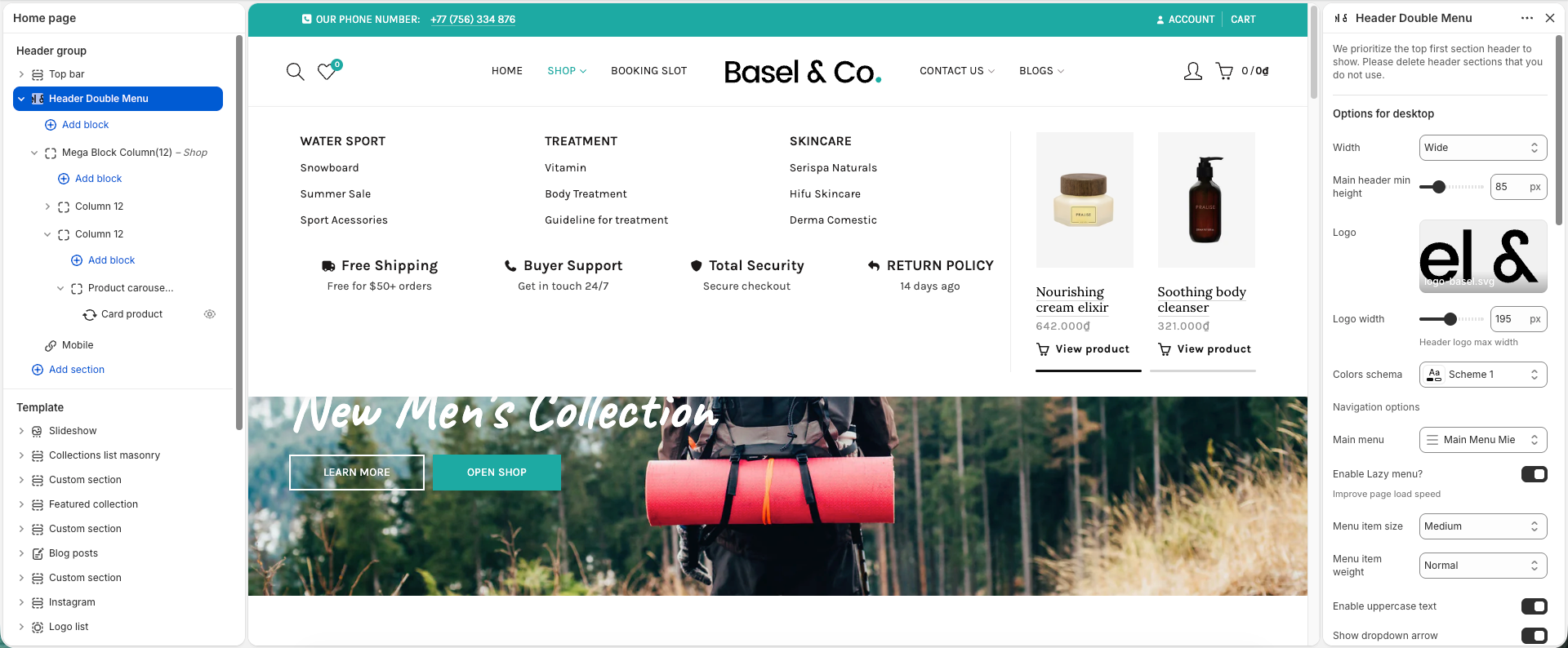
This layout is suitable for stores with multiple menu items while keeping the header clean and organized.
Mega Menu and Mega Block configurations work similarly to other header layouts.
5. Header Menu Top
The Header Menu Top layout separates the header into two areas for a cleaner structure. The top header contains the main menu, custom content/text, search icon, account icon, wishlist icon, and cart icon, while the logo is displayed separately in the header section below.
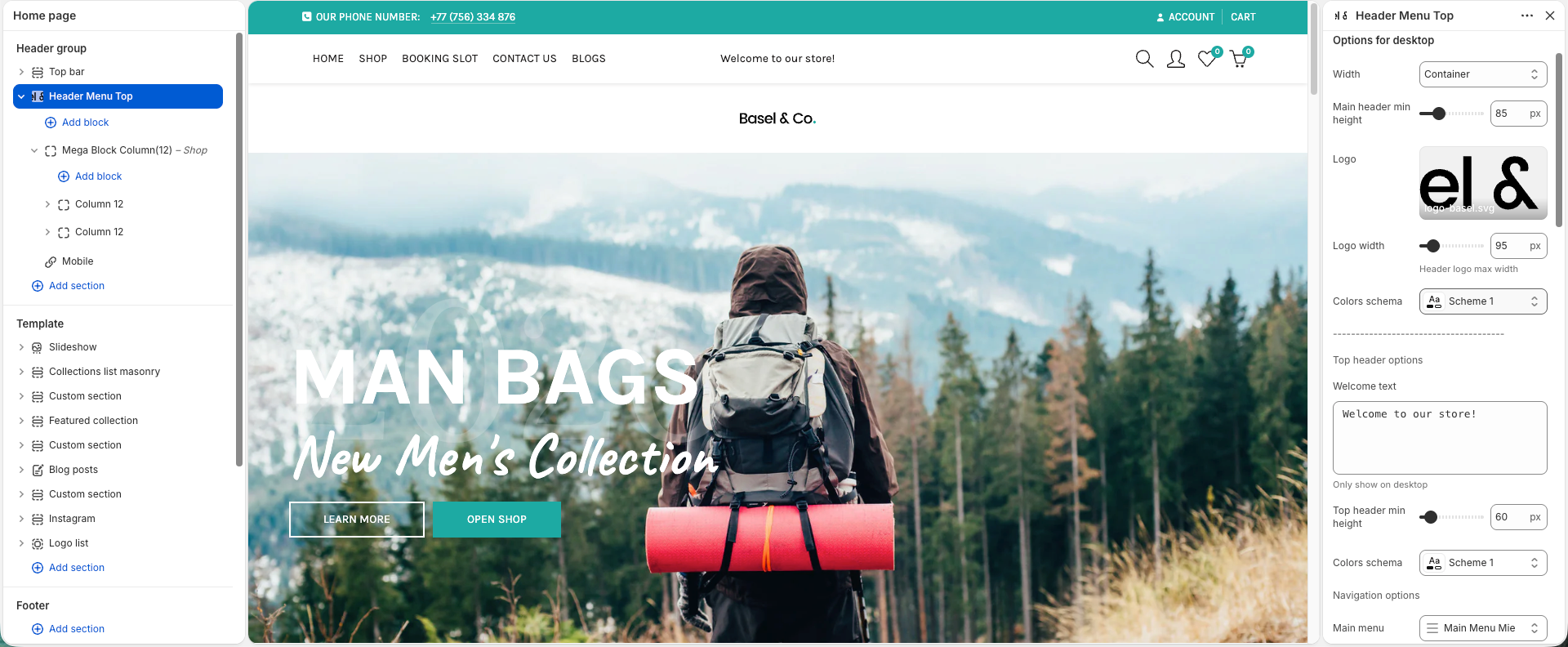
Mega Menu and Mega Block configurations work similarly to other header layouts.
6. Header Simplified
The Header Simplified layout provides a minimal and clean header structure with the logo, navigation menu, and header icons displayed in a single row.
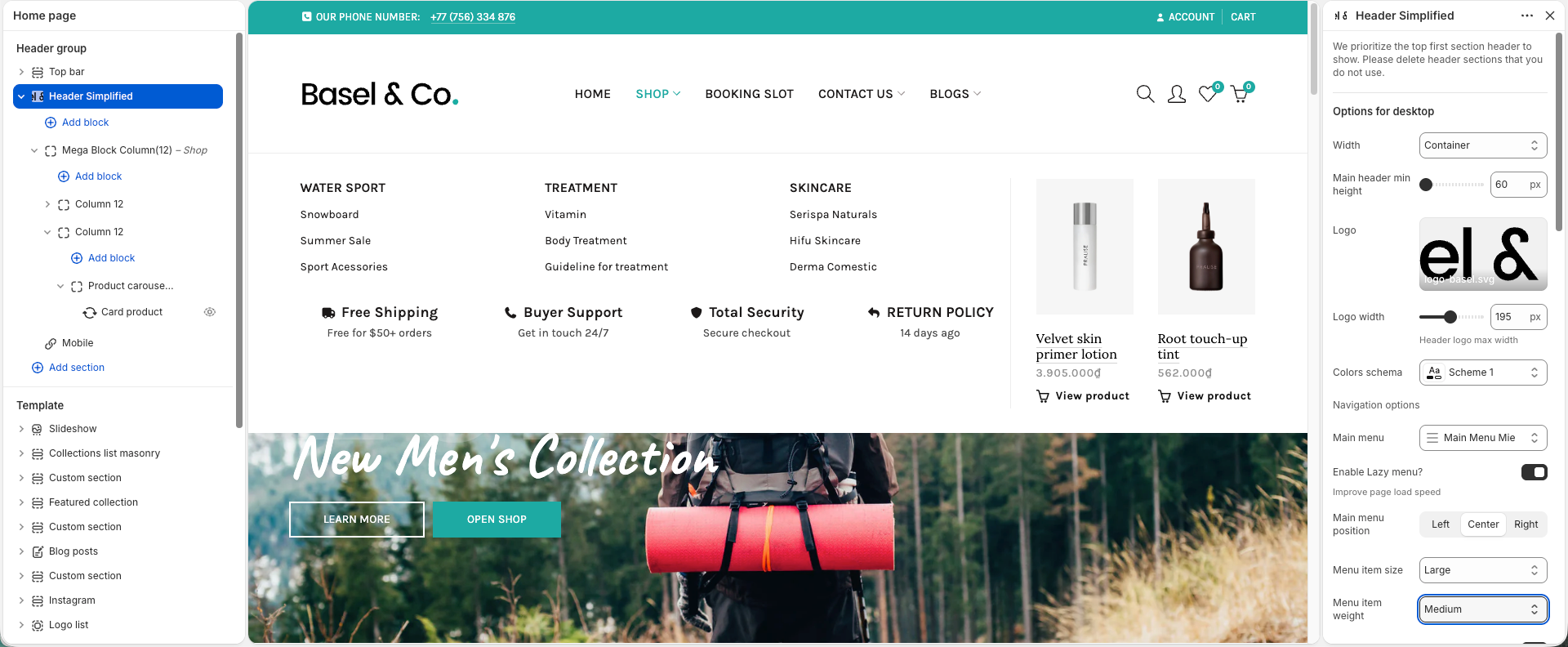
You can adjust the main menu position to Left, Center, or Right depending on your preferred layout. This header style is suitable for stores that prefer a lightweight and modern navigation experience.
Mega Menu and Mega Block configurations work similarly to other header layouts.
7. Header e-commerce
The Header e-commerce layout is designed specifically for online stores with a strong focus on shopping experience and accessibility. The header structure separates navigation, logo, customer account, and cart actions into different areas for a cleaner and more conversion-focused layout.
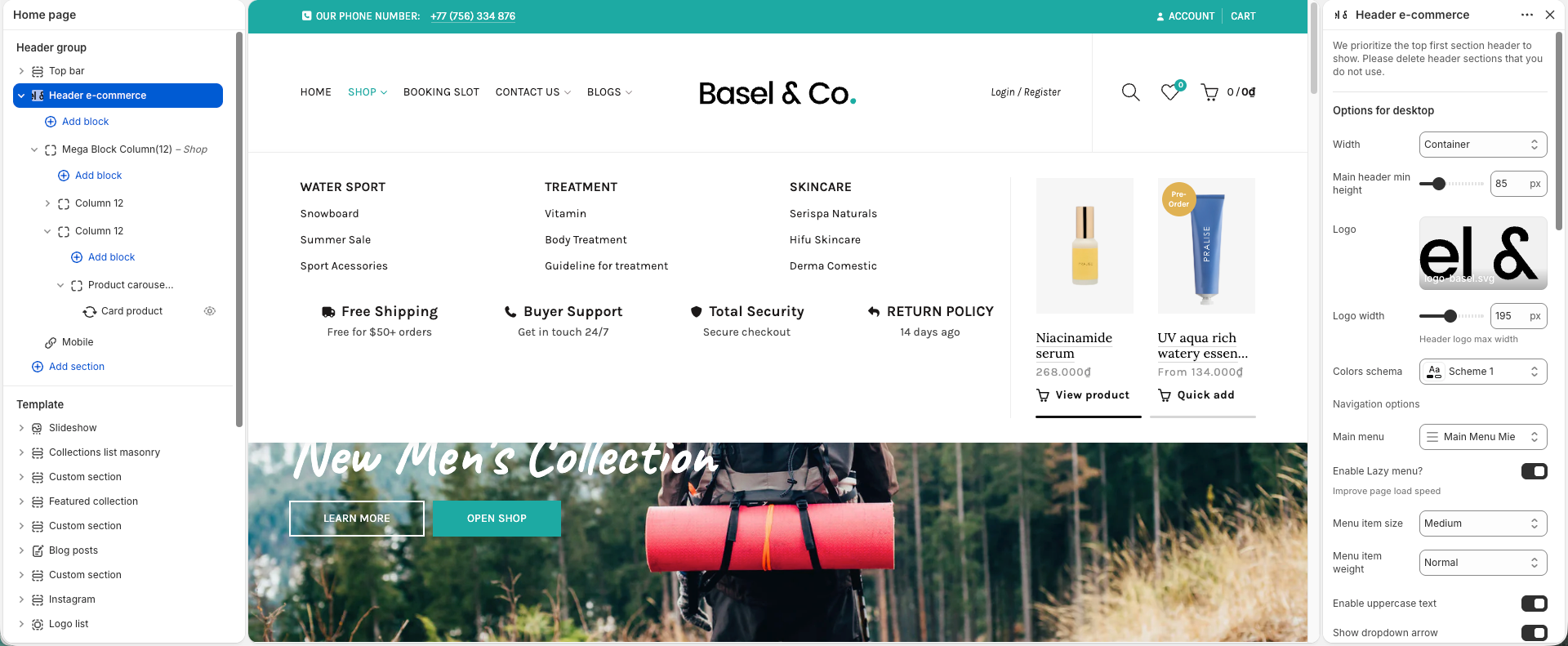
This layout is suitable for stores that want to highlight shopping-related actions such as search, account, wishlist, and cart while maintaining a professional storefront appearance.
Mega Menu and Mega Block configurations work similarly to other header layouts.


