



This section allows you to display product information in multiple tabs on the product page.
It helps organize product content clearly and improves the customer browsing experience.
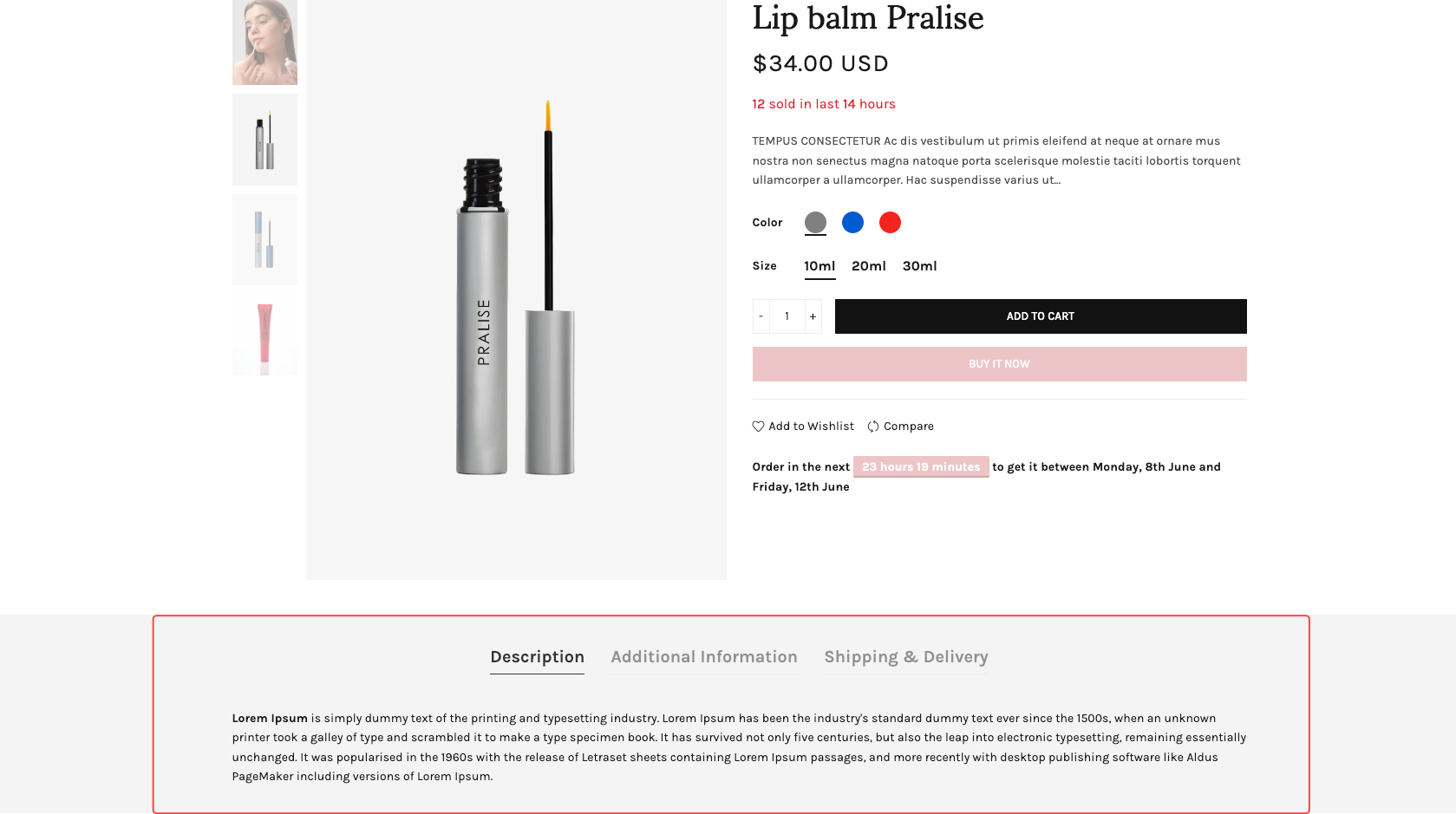
1. Tab Description
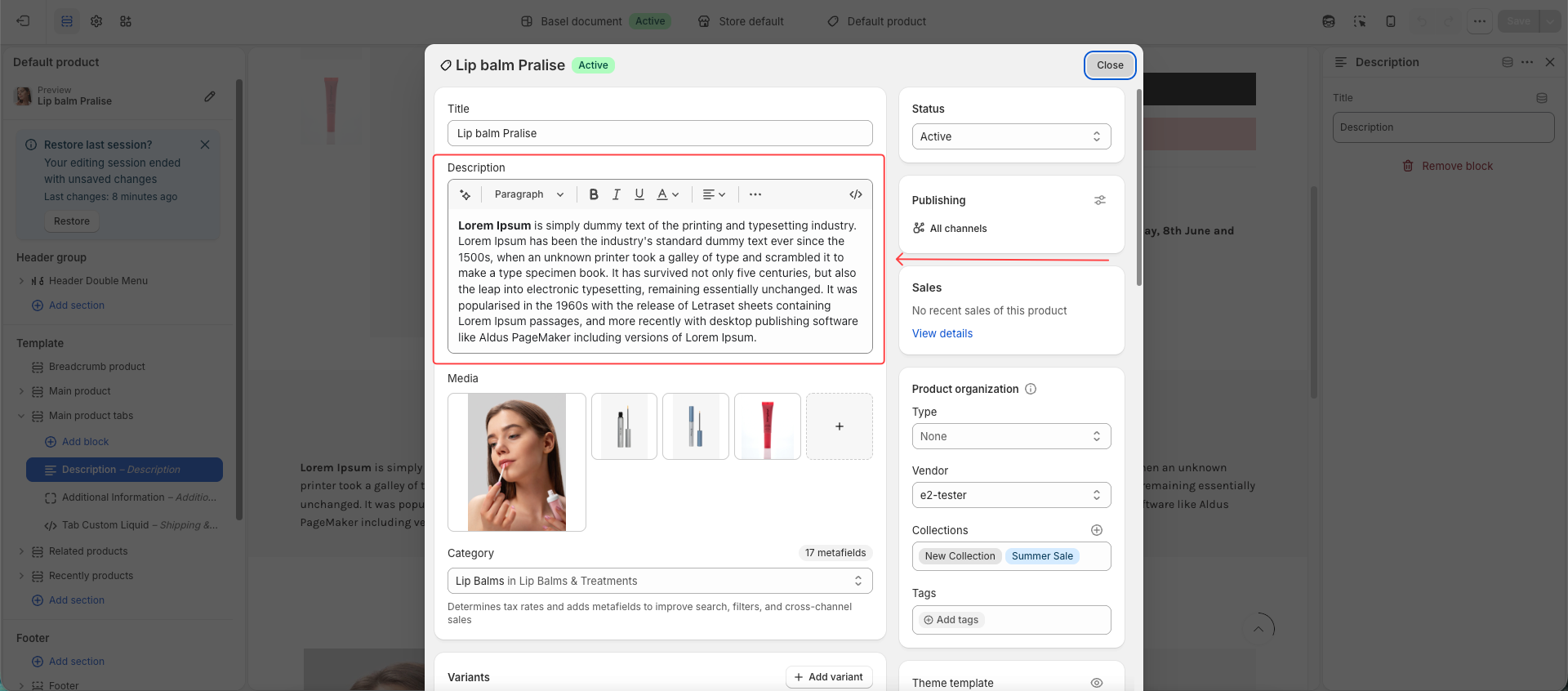
The Description tab automatically displays the product description from Shopify Admin > Products > Description.
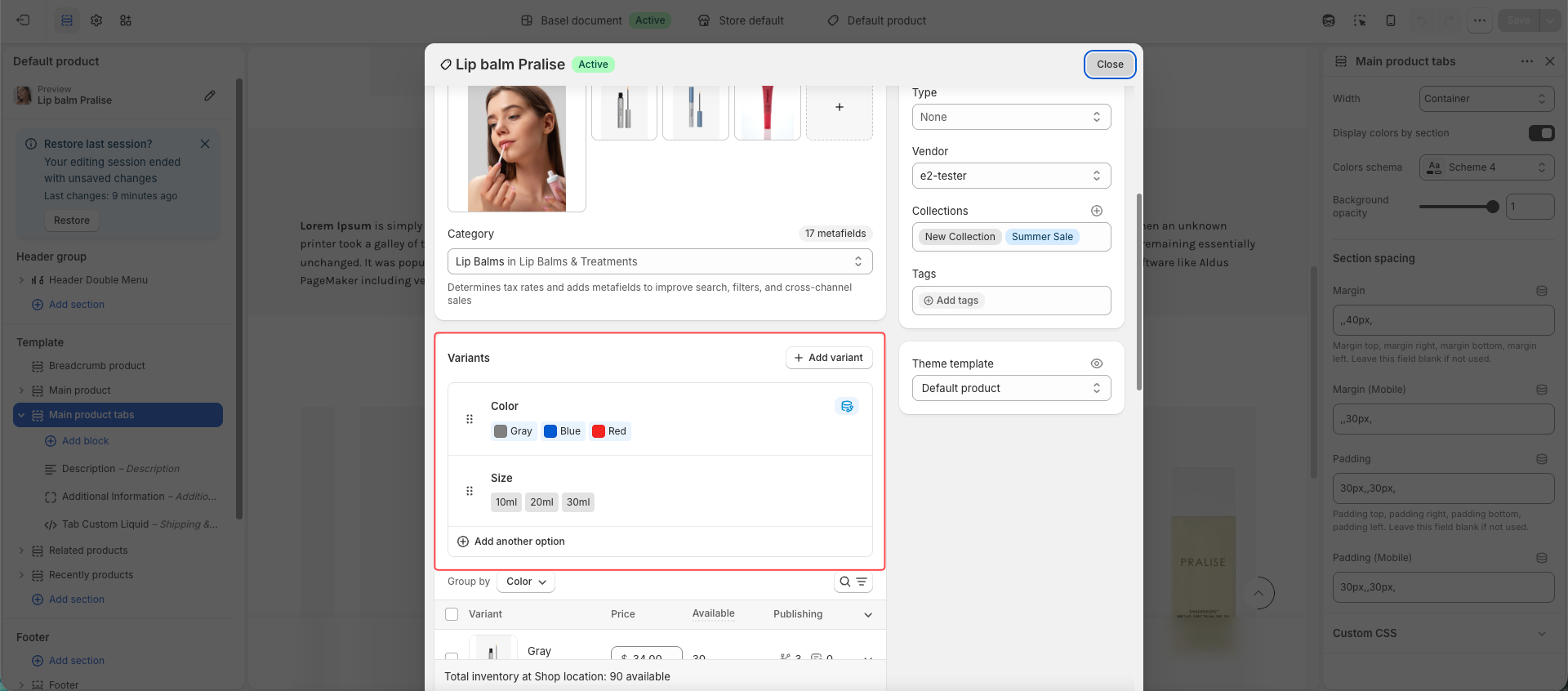
2. Tab Additional Information
The Additional Information tab automatically shows the product variant options in a table format.
You cannot customize or edit the content of this tab.
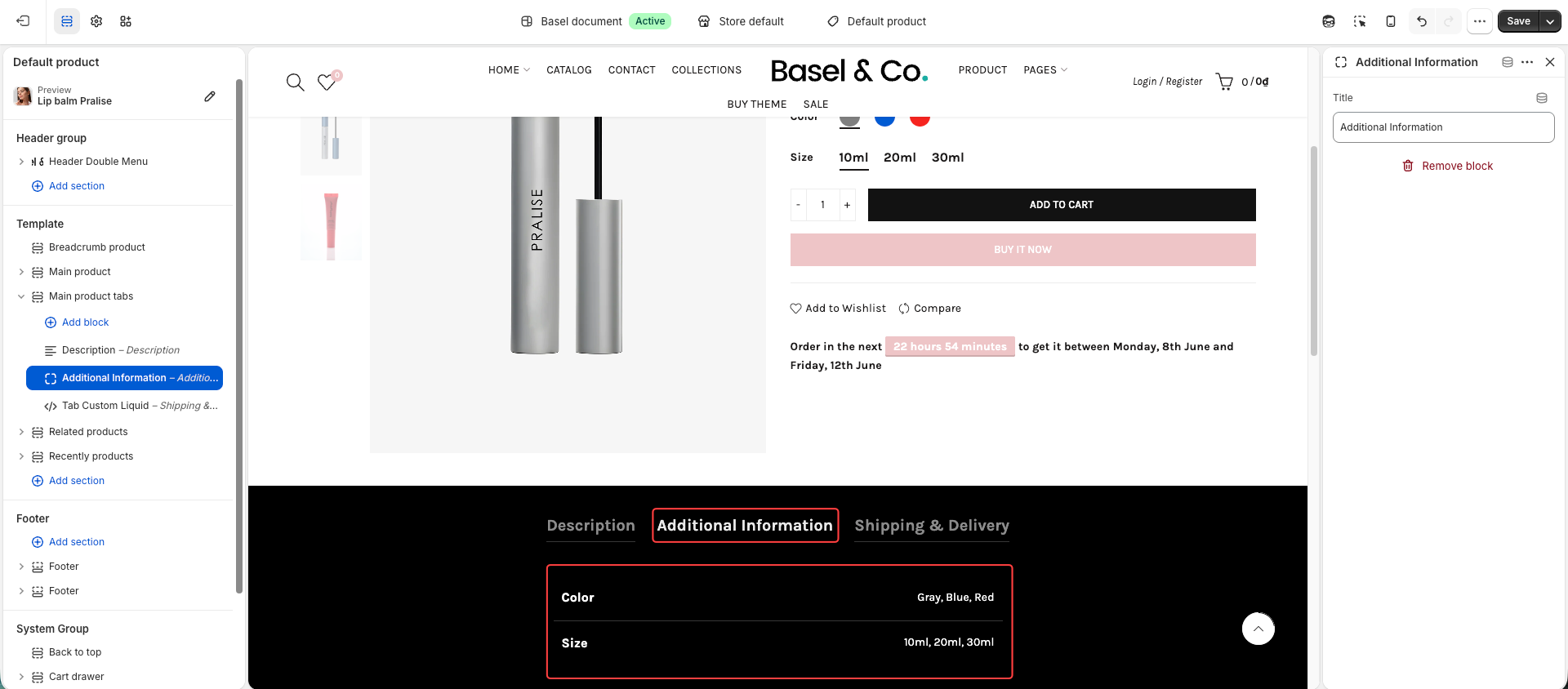
This tab only appears when the product has variants/options.
3. Tab Custom HTML
You can create an additional tab with custom content.
Supported content sources:
Add content directly in the tab content field
Use content from a Shopify Page
The content can be shared across all products or customized for different products.
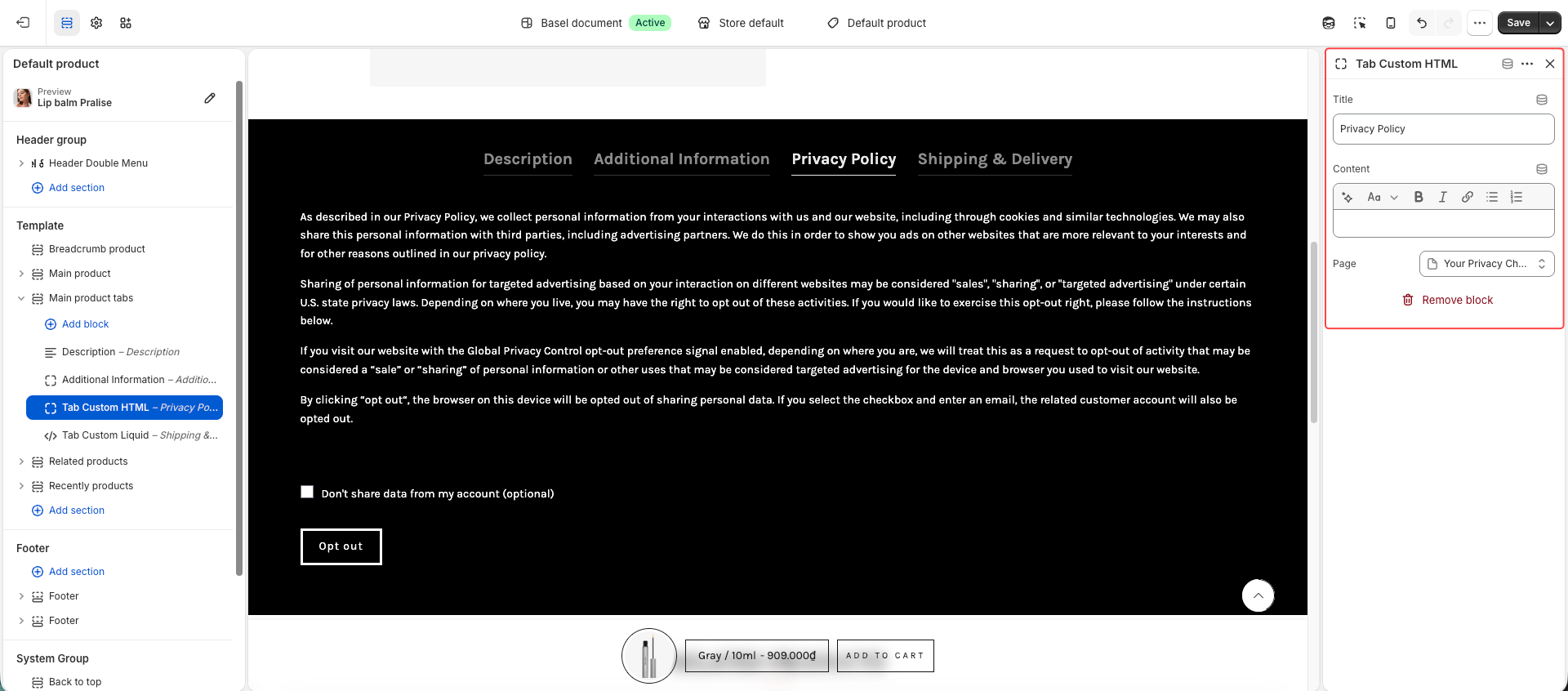
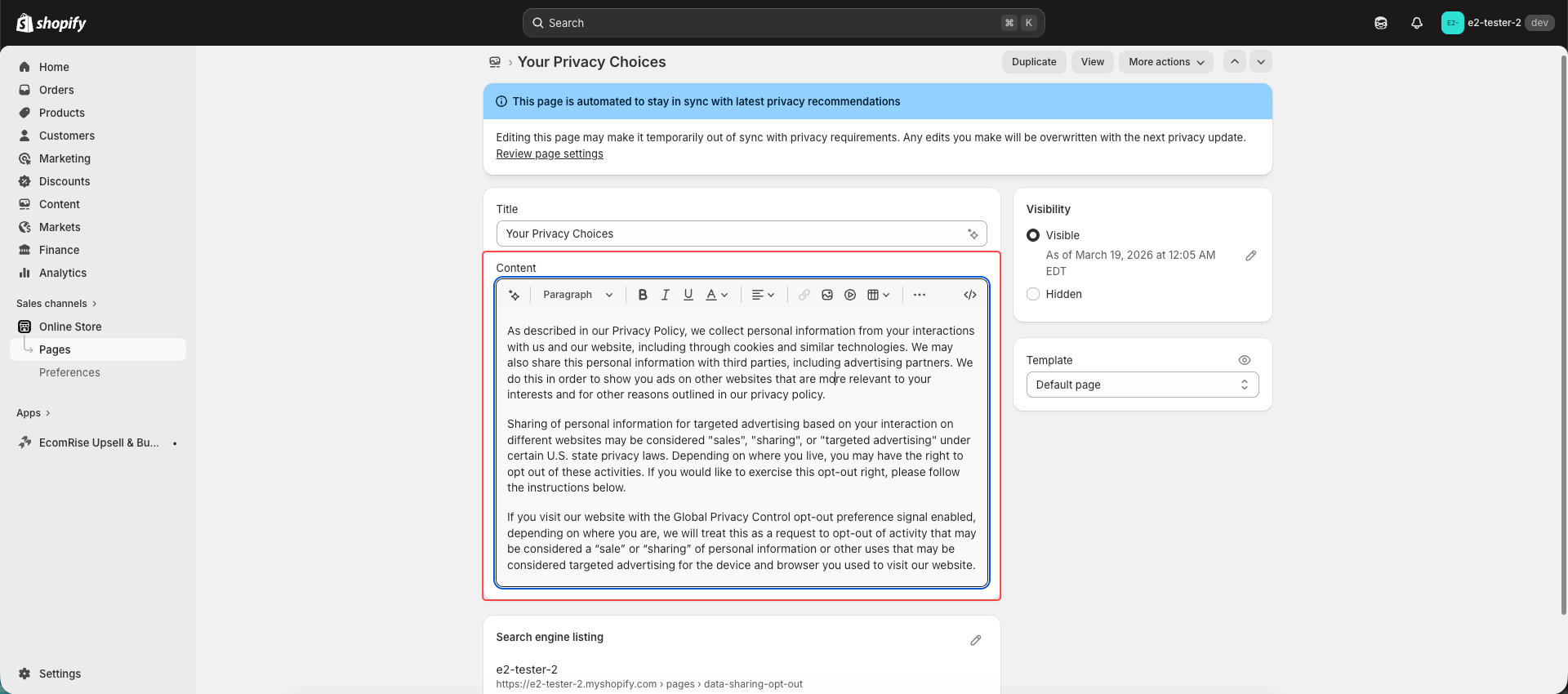
If you add a Page but the content does not display, please check the Page content in Shopify Admin > Online Store > Pages.
The Custom HTML tab using Page content will only display when the selected page contains content.
To set up different content in Tab Custom HTML for different products, please follow this guide.
4. Tab Custom Liquid
Similar to the Custom HTML tab, but supports Shopify Liquid code.
You can add custom Liquid code to create dynamic content or custom features for the product page.
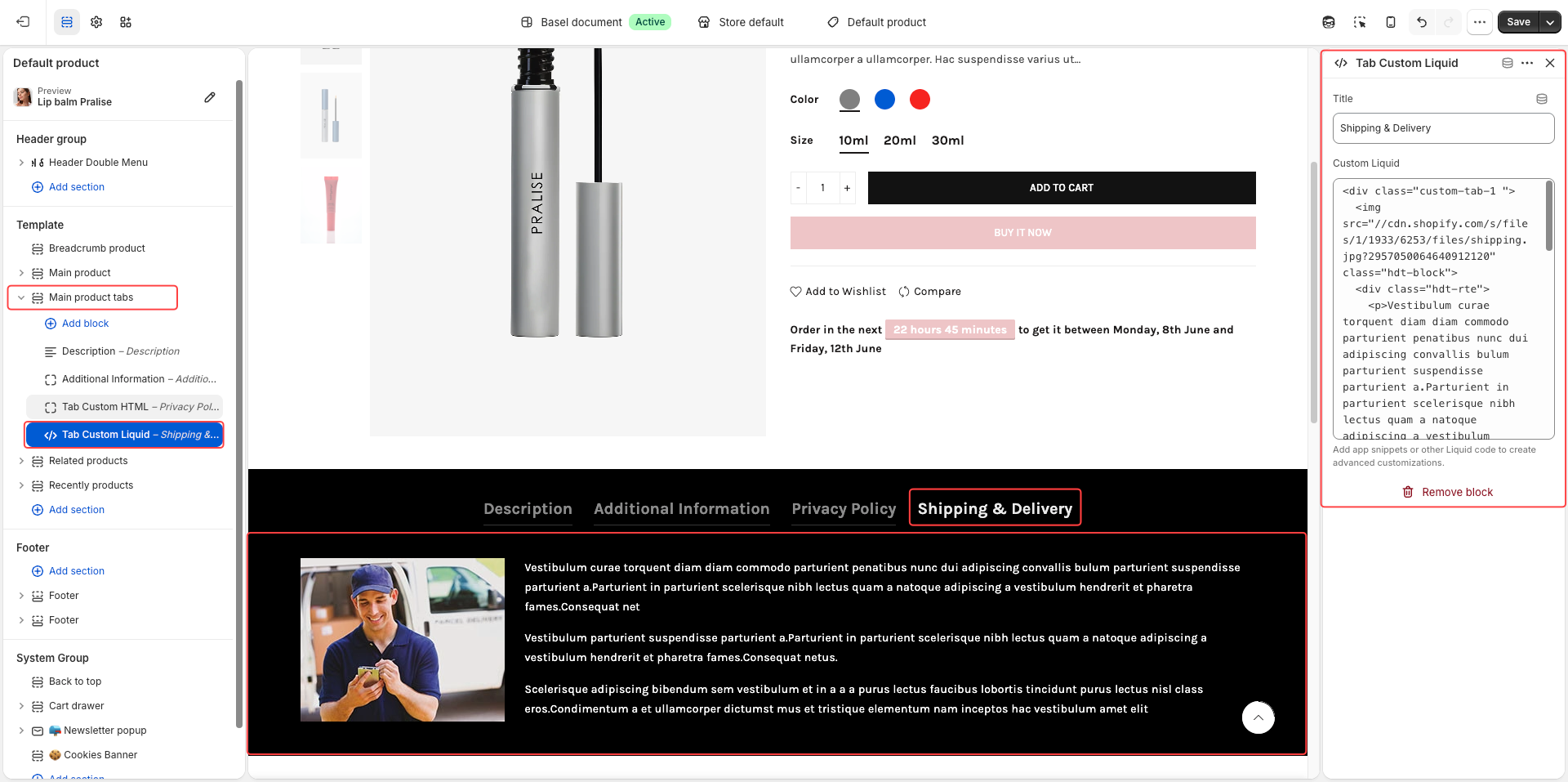
You can consider and test this tab with our Liquid code:
<div class="custom-tab-1 ">
  <img src="//cdn.shopify.com/s/files/1/1933/6253/files/shipping.jpg?2957050064640912120" class="hdt-block">
  <div class="hdt-rte">
    <p>Vestibulum curae torquent diam diam commodo parturient penatibus nunc dui adipiscing convallis bulum parturient suspendisse parturient a.Parturient in parturient scelerisque nibh lectus quam a natoque adipiscing a vestibulum hendrerit et pharetra fames.Consequat net</p>
    <p>Vestibulum parturient suspendisse parturient a.Parturient in parturient scelerisque  nibh lectus quam a natoque adipiscing a vestibulum hendrerit et pharetra fames.Consequat netus.</p>
    <p>Scelerisque adipiscing bibendum sem vestibulum et in a a a purus lectus faucibus lobortis tincidunt purus lectus nisl class eros.Condimentum a et ullamcorper dictumst mus et tristique elementum nam inceptos hac vestibulum amet elit</p>
    <div class="clearfix"></div>
  </div>
</div>
<style>
  .custom-tab-1{
    display: grid;
    grid-template-columns: 250px auto;
    gap: 25px;
    align-items: start;
line-height: 1.7;
letter-spacing: 0.3px;
    @media (width < 767px){
      grid-template-columns: 1fr;
    }
  }
</style>

