



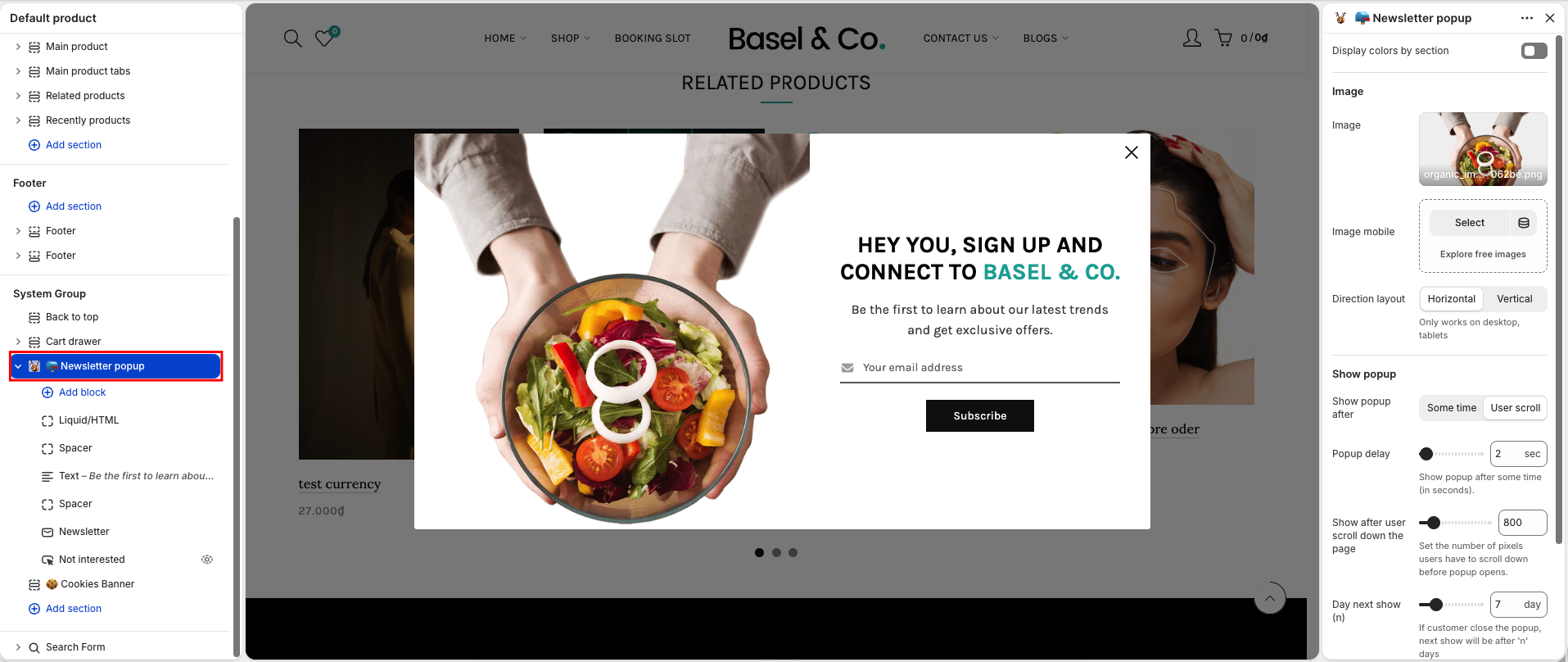
The Newsletter Popup helps you collect customer emails, share news, and offer special deals to grow your subscriber list.
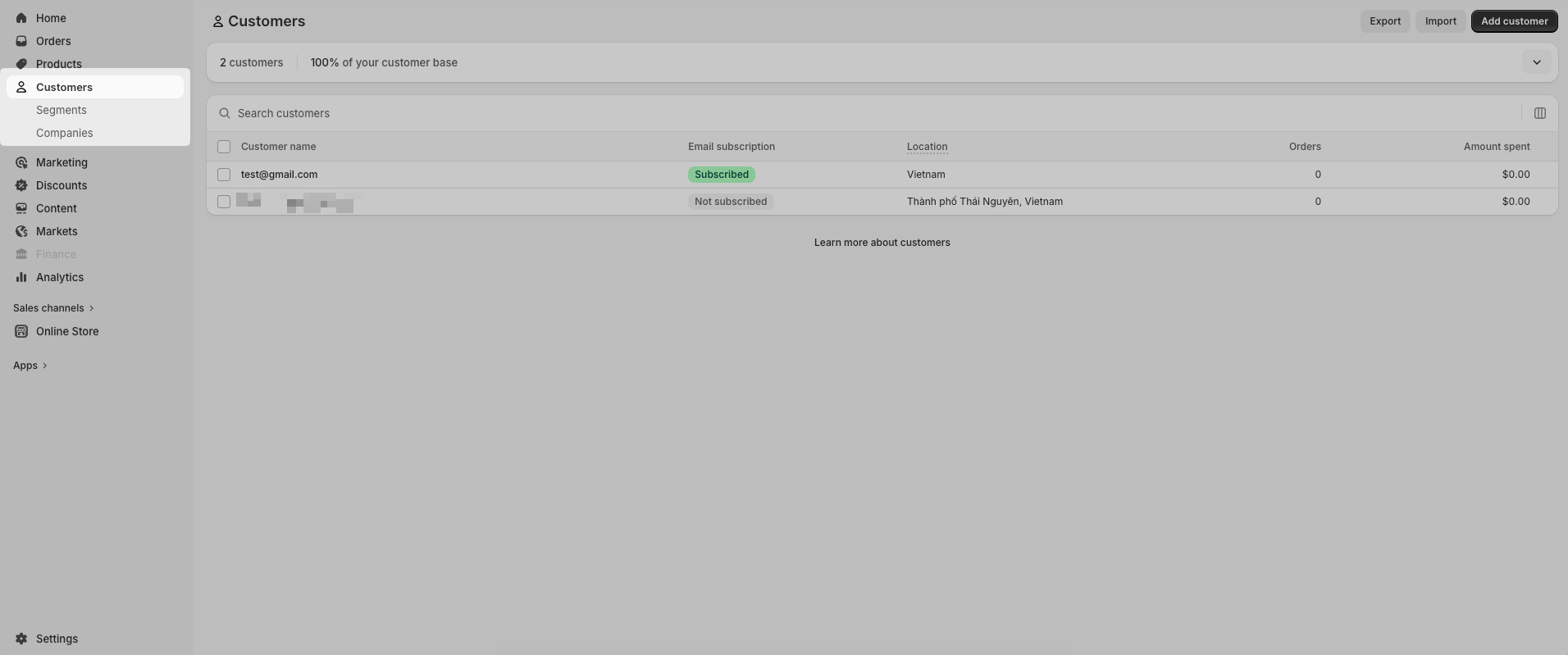
After a customer subscribes, their email address will appear in the Customers section of Shopify.
Section Options
Image/ Image mobile: Image lets you upload the main popup image, while Image mobile allows you to set a separate image for mobile devices
Direction layout: Choose the popup layout – display the image and content either horizontally or vertically
Show popup after: Choose how the popup appears either after a some time or when the user scroll the page.
Popup delay: Set the number of seconds before the popup appears (when using “Some time”).
Show after user scroll down the page: Define how many pixels the user must scroll before the popup appears (when using “User scroll”).
Day next show (n): If the user closes the popup, it will reappear only after n days.


