



The Hero Image section displays a large banner image with customizable content and layout options.
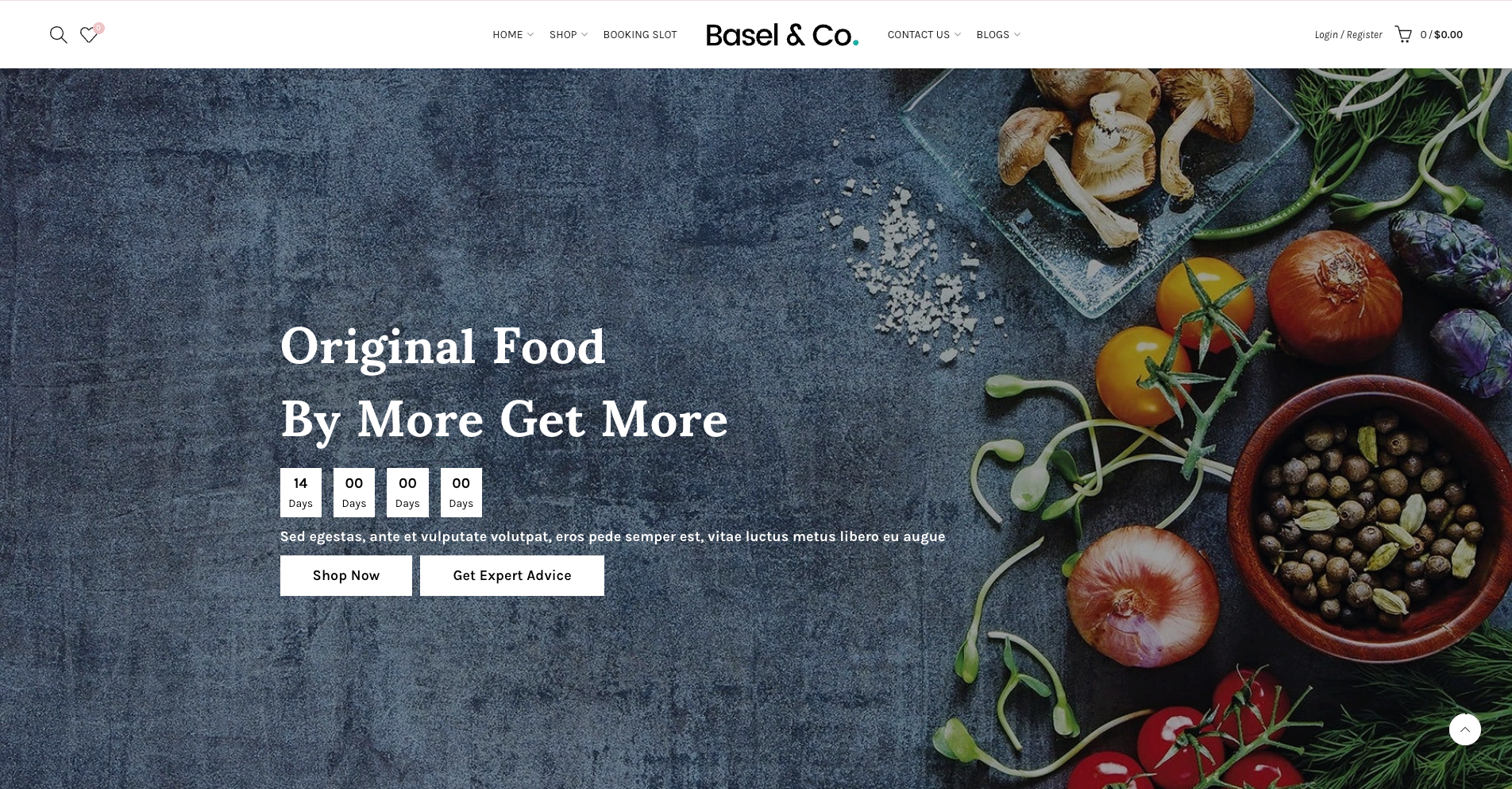
1. Content Blocks
Available blocks:
Heading – Add a title or headline.
Text – Add descriptive content.
Button – Add a call-to-action button.
Button Group – Display multiple buttons together.
Countdown – Add a countdown timer.
Spacer – Create spacing between elements.
Custom – Add custom content.
Custom Button – Add a customizable button.
Custom Text – Add custom text content.
2. Option config Hero Image section
2.1. Image Settings
Image – Upload the desktop image.
Image Mobile – Upload a separate image for mobile devices.
Link URL – Make the entire image clickable.
Open in New Tab – Open the link in a new browser tab.
Image Height – Configure the image height.
Min Height – Set the minimum desktop height.
Mobile Image Height – Configure the image height on mobile devices.
Mobile Min Height – Set the minimum mobile height.
Animation – Apply an animation effect to the image.
2.2. Content Position
Desktop
Content Position Type – Choose between Container and Custom positioning.
Content Position – Set the content location within the image.
Text Alignment – Align content left, center, or right.
Mobile
Content Position – Set the content location on mobile devices.
Text Alignment – Align content left, center, or right.
2.3. Overlay Settings
Overlay – Enable or disable the overlay layer.
Overlay Color – Select the overlay color.
Overlay Opacity – Adjust the overlay transparency.
2.4. Layout Settings
Display Colors by Section – Enable custom colors for this section.
Color Scheme – Select a predefined color scheme.
Background Opacity – Adjust the background transparency.
Width – Choose the section width.
Background Image – Upload a background image.
2.5. Section Spacing
Margin – Set the outer spacing around the section.
Margin (Mobile) – Set the outer spacing on mobile devices.
Padding – Set the inner spacing inside the section.
Note: Margin and Padding values use the following format: Top, Right, Bottom, Left
Leave a value blank if you do not want to apply spacing to that side.


