



Shopify offers two customer account login methods:
Legacy login using email and password
New customer account login using a one-time code (OTP) sent to the customer’s email
In this article, we’ll guide you on how to enable and display these two login methods.
1. Enable Customer Account Login
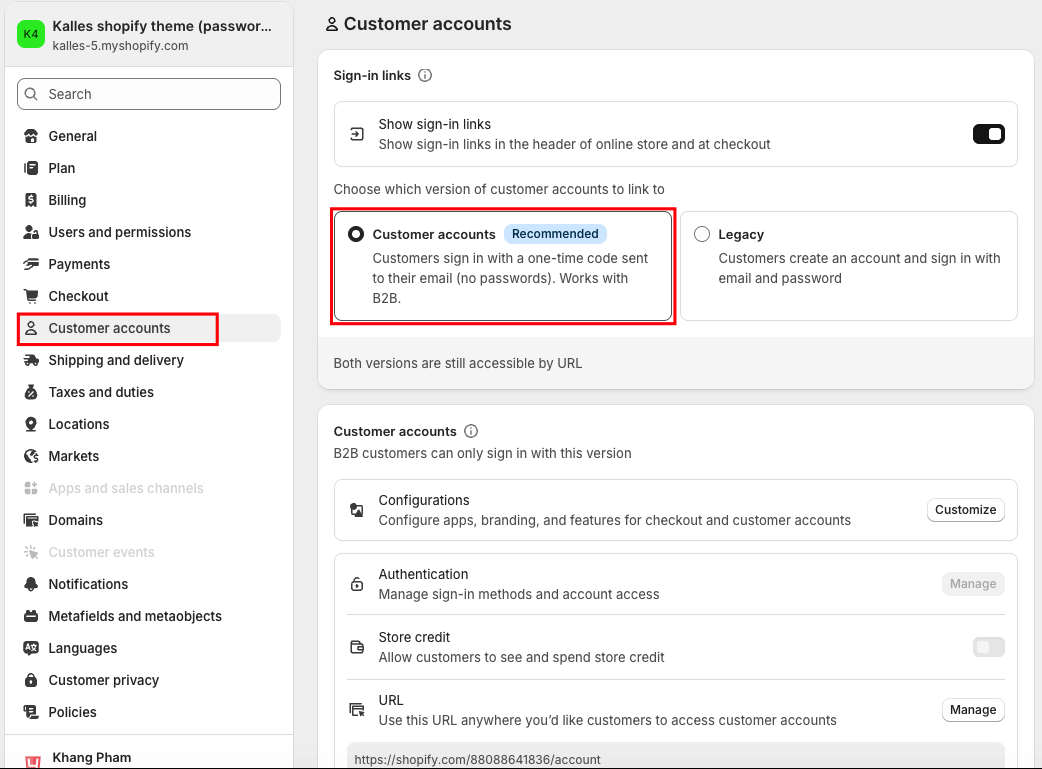
Go to Shopify Settings > Customer accounts >Select Customer account login
Then go to your Theme Editor and make sure the login popup is disabled.
Navigate to Theme settings > Extras > Disable "Enable login form sidebar" option.
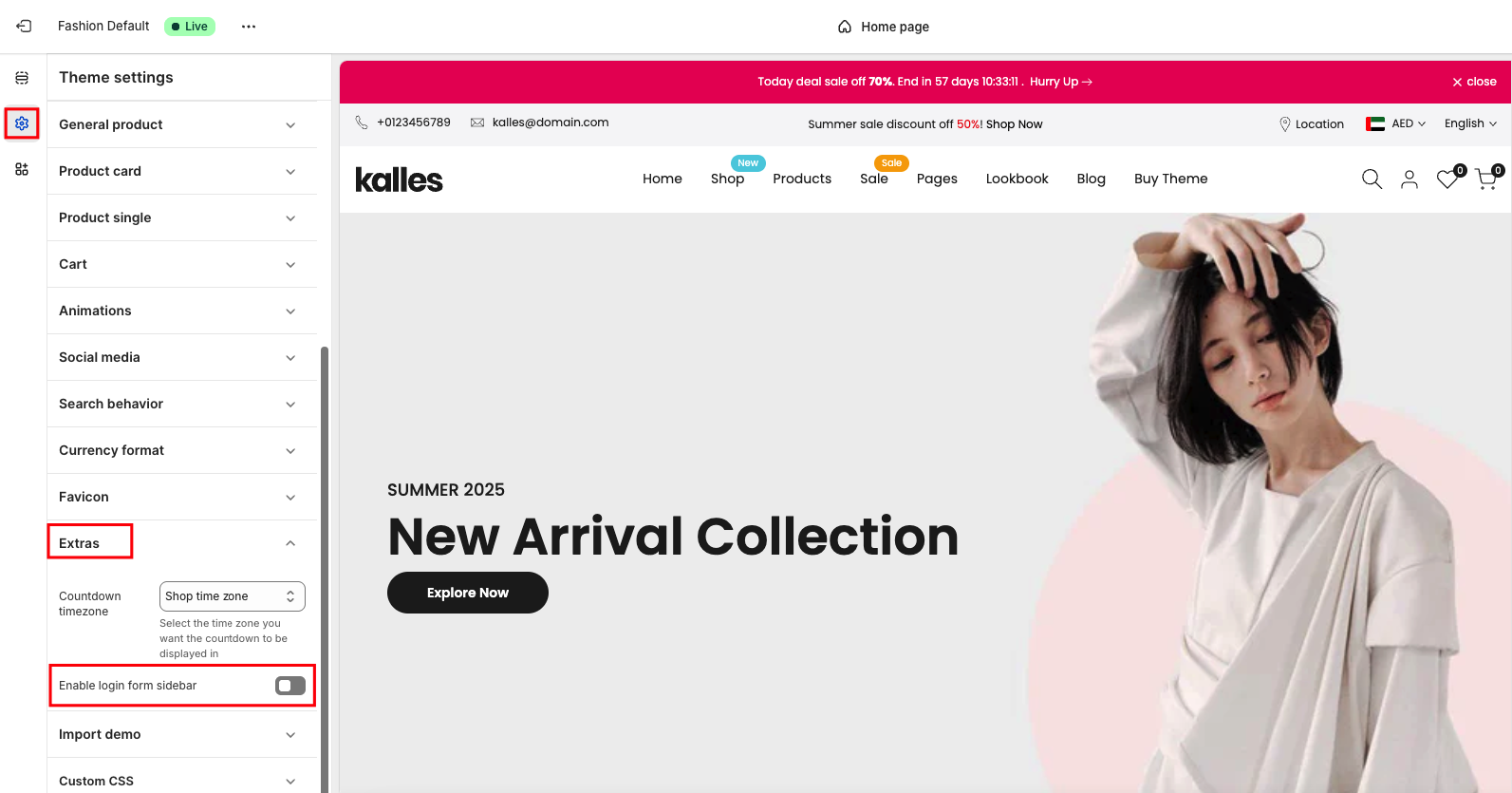
This ensures your store uses Shopify’s new one-time code login instead of the legacy popup form.
Check the result below:
2. Enable Legacy Login
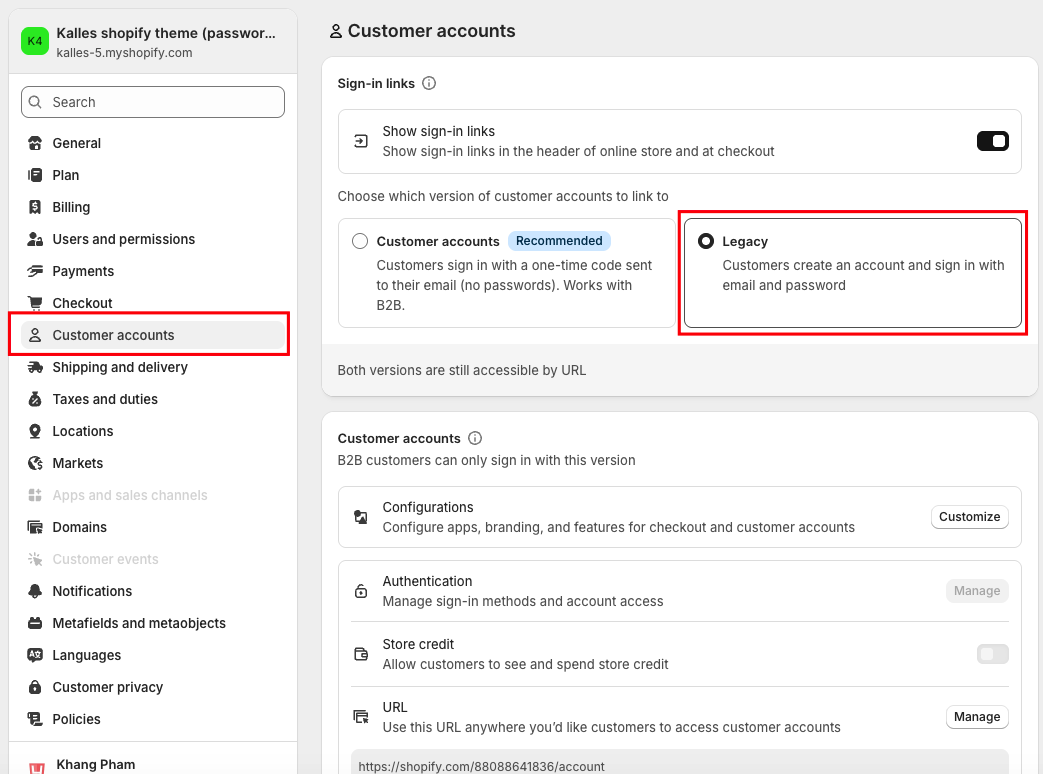
Go to Shopify Settings > Customer accounts >Select Legacy
Then go to your Theme Editor and make sure the login popup is enabled.
Navigate to Theme settings > Extras > Enable "Enable login form sidebar" option.
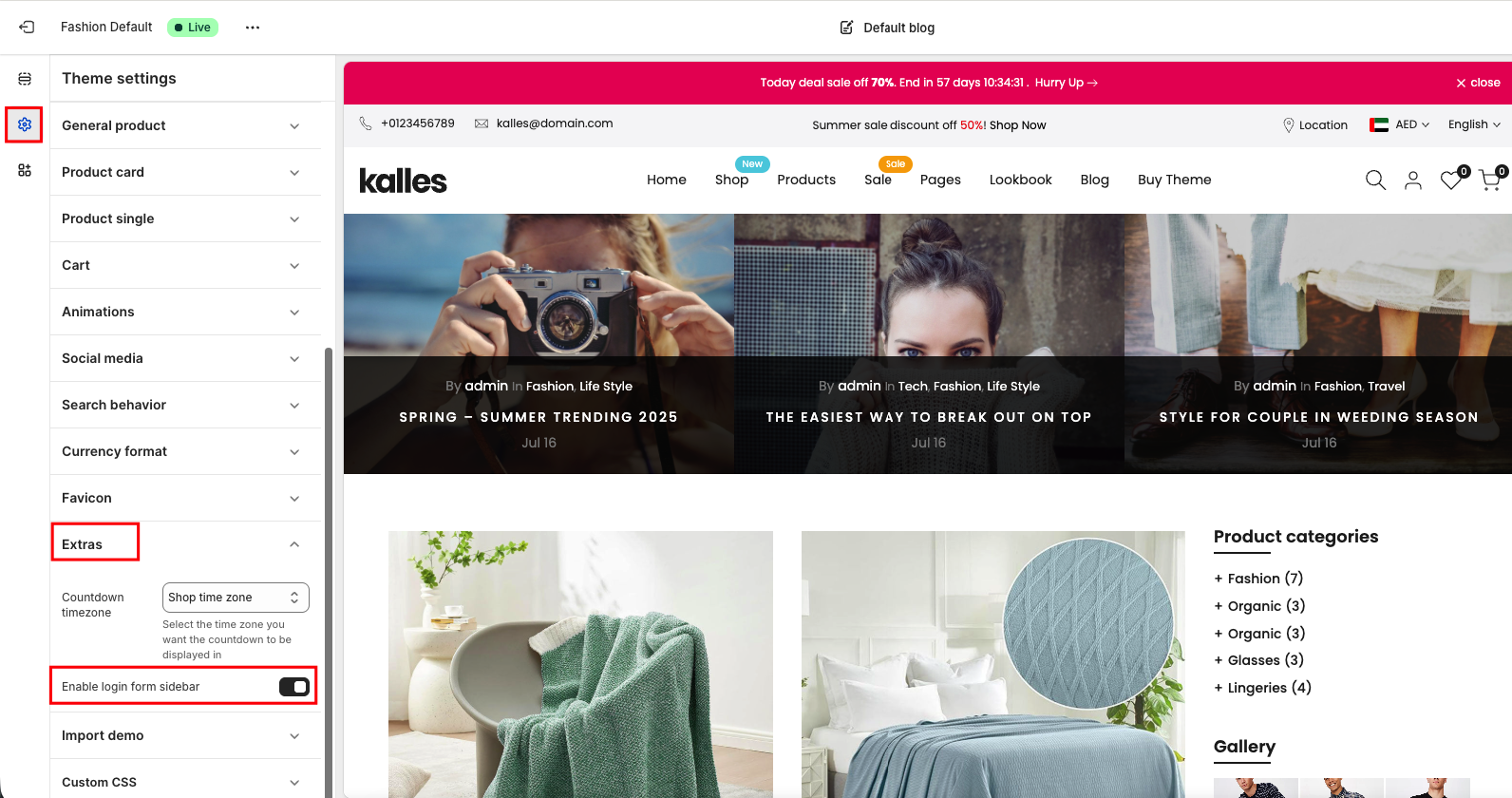
This will activate the classic email-and-password login form on your storefront. Check the result below:


