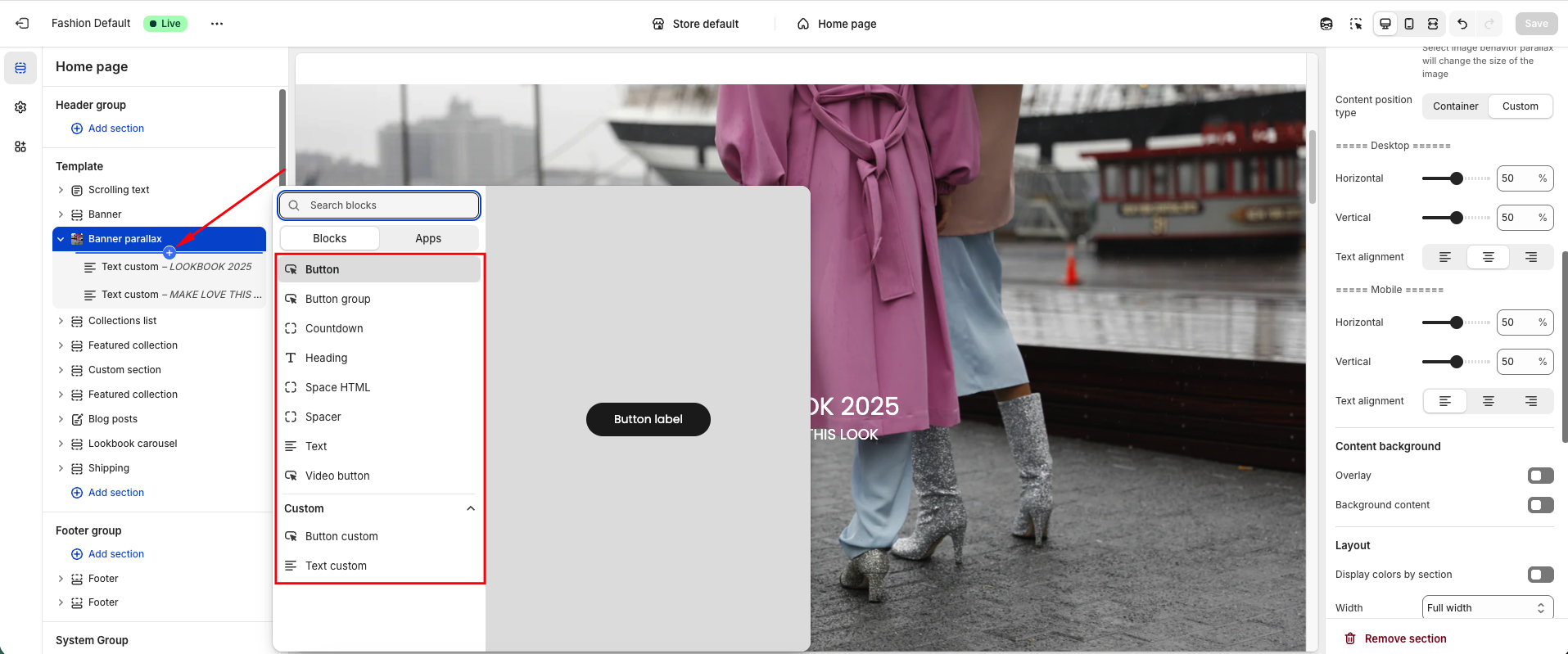
In this guide, we will walk you through how to use the Banner Parallax to make your website more engaging. You will learn how to set up, configure, and customize the banner to create smooth scrolling effects that add depth and visual interest, enhancing the overall user experience.
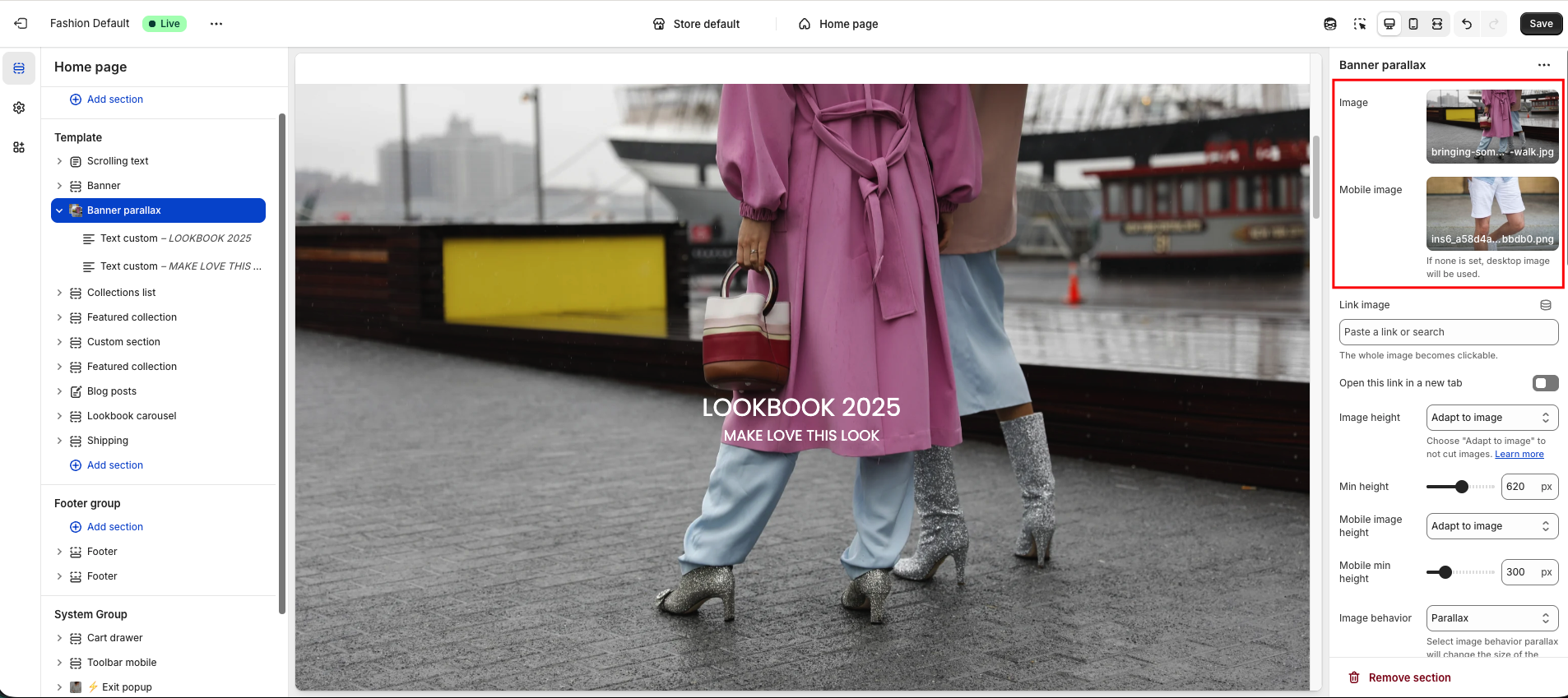
To add images, go to the Banner Parallax section. You can upload separate images for desktop and mobile views to ensure optimal display on all devices.
In addition to the parallax effect, you can try the Ambient Movement effect, which makes images gently sway automatically for a more dynamic look.
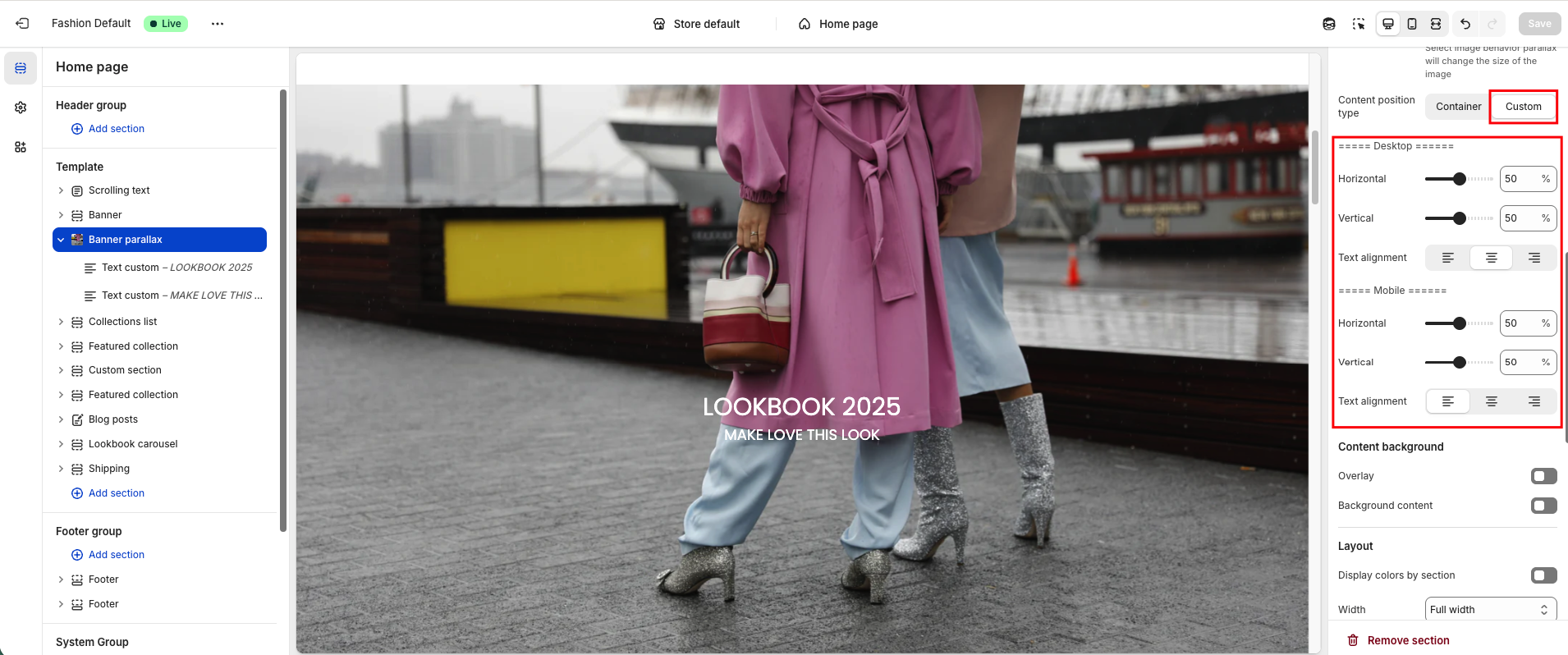
You can also adjust the content alignment within the banner, moving elements left, right, up, or down according to your design needs.
Within the Banner Parallax section, you can add various blocks such as text, buttons, countdown timers, or video buttons. Some elements, like custom text and custom buttons, allow you to easily arrange and style your content.