


The Scrolling Text section lets you display messages, news, or important announcements as a horizontal scrolling text. It’s a great way to grab your customers’ attention in a dynamic and eye-catching way.
Not only can you add text in the theme, but you can also include images and icons to create sections with different purposes. Follow the guide below to learn more.
1. Scrolling text
You need to add items for the section to display as a scrolling text. Within each item, you can add text, icons, or images to make the content more lively and engaging.
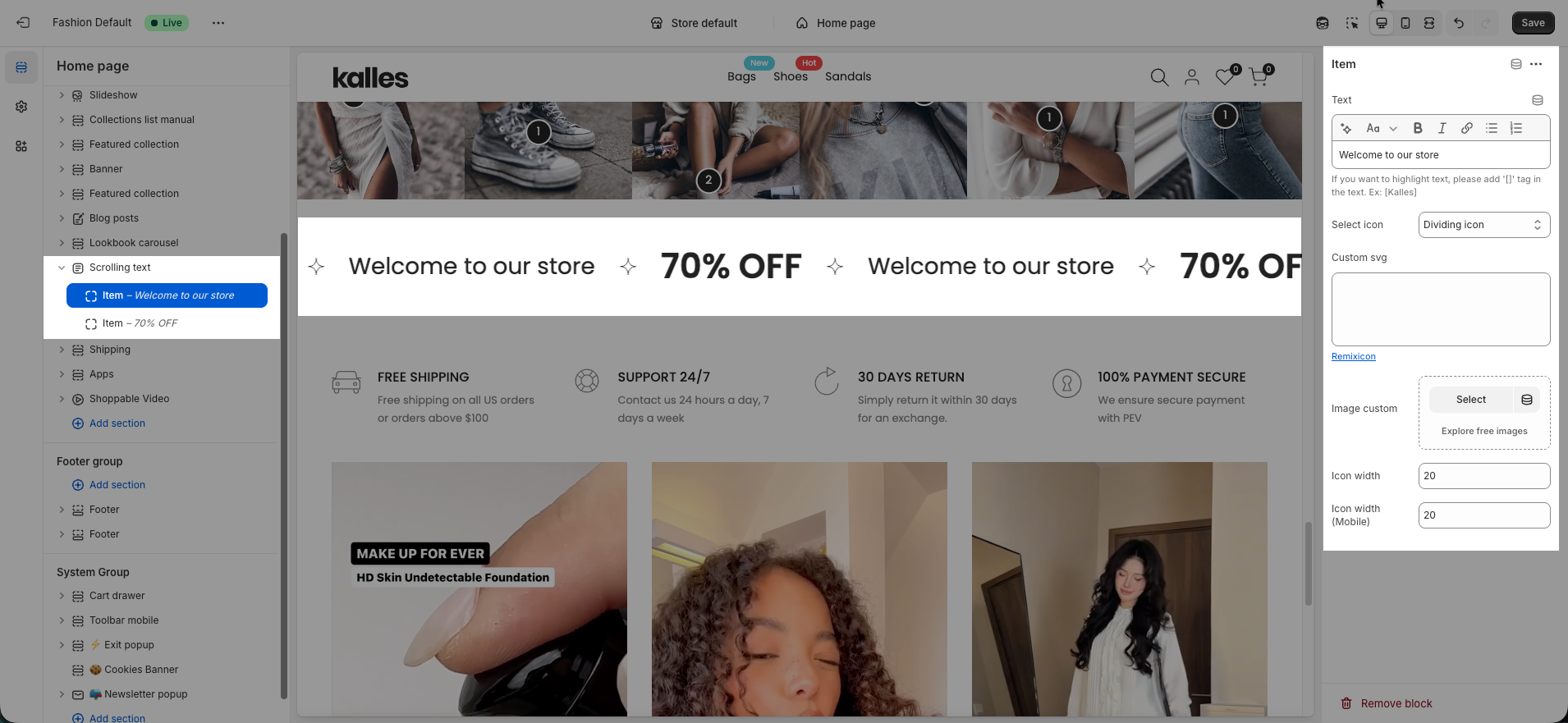
To adjust the scrolling speed, effects, ... use the section settings.
Here’s how it looks when the effects are enabled:
2. Scrolling image
Besides using this section for scrolling text, you can also use it to display scrolling images.
This allows you to showcase a list of images that scroll automatically, for example, your partners, brands, or any other image list you want to highlight.


