



On the product page, you can enhance your product presentation by uploading 3D media, AR models. This allows customers to explore your products in detail and creates a more engaging, professional shopping experience.
1. Product 3D, AR models
To display 3D images or AR models, you need to upload a .glb file from the Shopify product.
On mobile devices, you can view the product in AR models.
2. 360° product viewer
(Kalles 5.3.0 & Ecomus 2.2.4)
The 360° Product Viewer allows products to be displayed in a 360-degree rotating view using mouse drag or touch gestures. This helps customers view all angles of a product, improving shopping experience and increasing purchase confidence.
Method 1: Using ALT tag
Step 1: Prepare 12–36 product images captured evenly around the product, upload them to Product media, and move the 360° image group to the end of the thumbnail - media list.
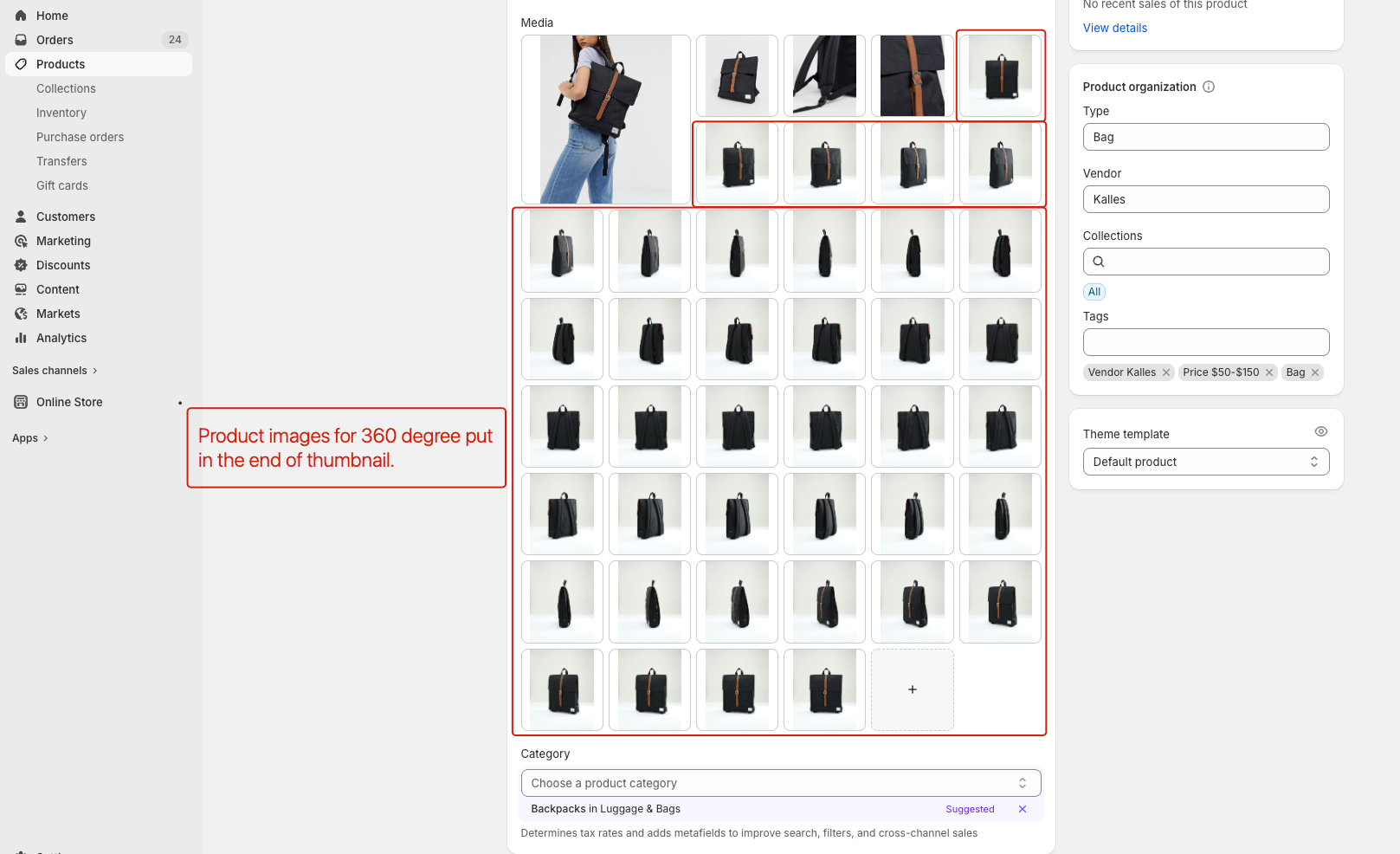
Step 2: Add the ALT tag to the first image only:
break--360Notes:
Only one 360° viewer per product is supported
Do not insert normal images inside the 360° image group
Method 2: Using Metafield (Recommended)
Step 1: Go to Settings → Metafields → Products → Add definition
Step 2: Create a metafield with the following settings:
Name: 360 Viewer
Key(required):
theme.media_360Type: List → Image (File)
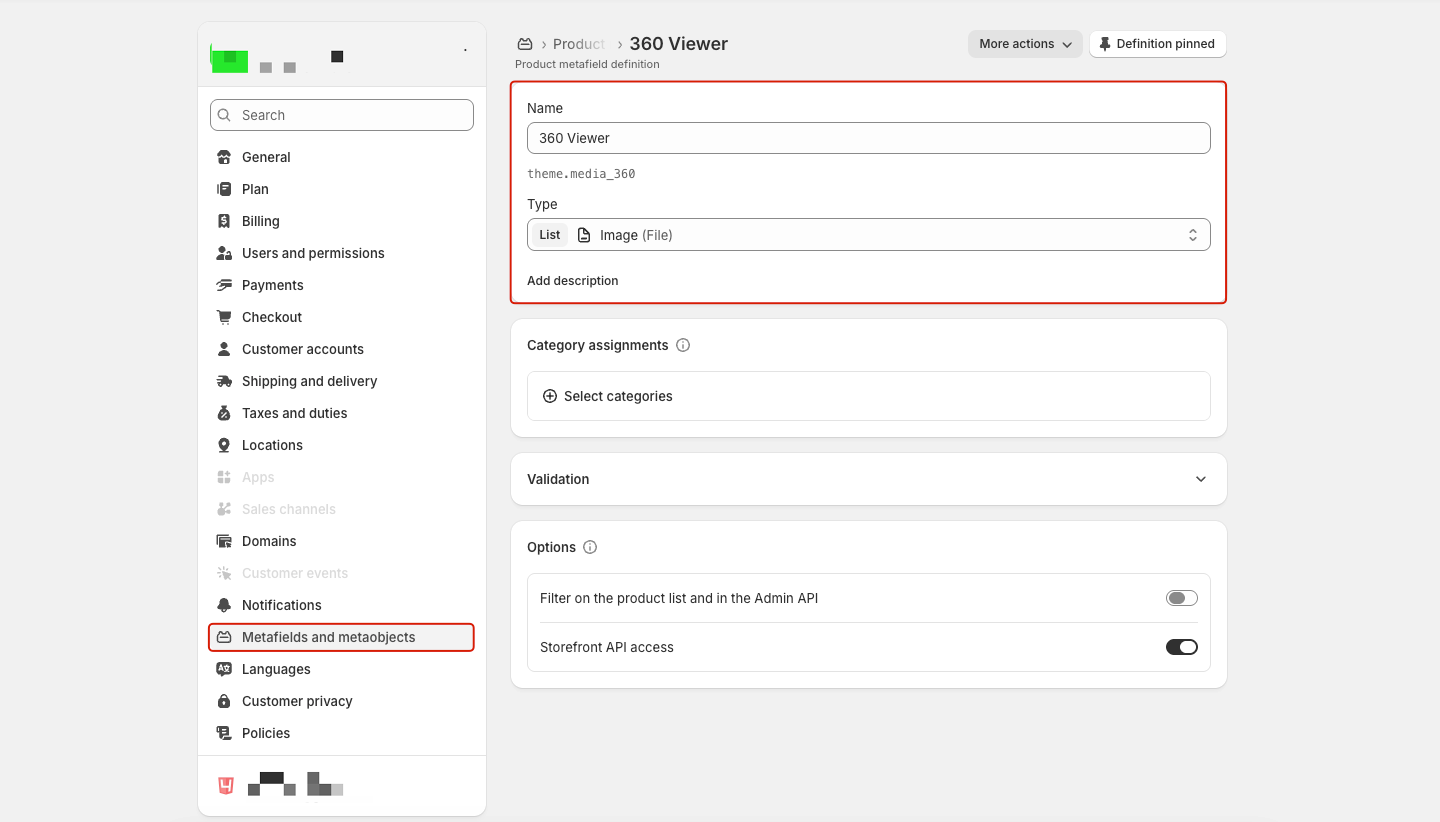
Step 3: Open the product → go to Metafields and upload all 360° images to the 360 Viewer field.
Notes:
No ALT tag is required
The viewer does not depend on product media order
Recommendation
For long-term use or stores with many products, we strongly recommend using the theme.media_360 metafield for better stability and easier management.


