



The Banner Product List section allows you to display banners with featured products in a visually appealing way.
Customers can quickly view (Quick View) and add products to the cart (Add to Cart) directly from the banner.
How to config section?
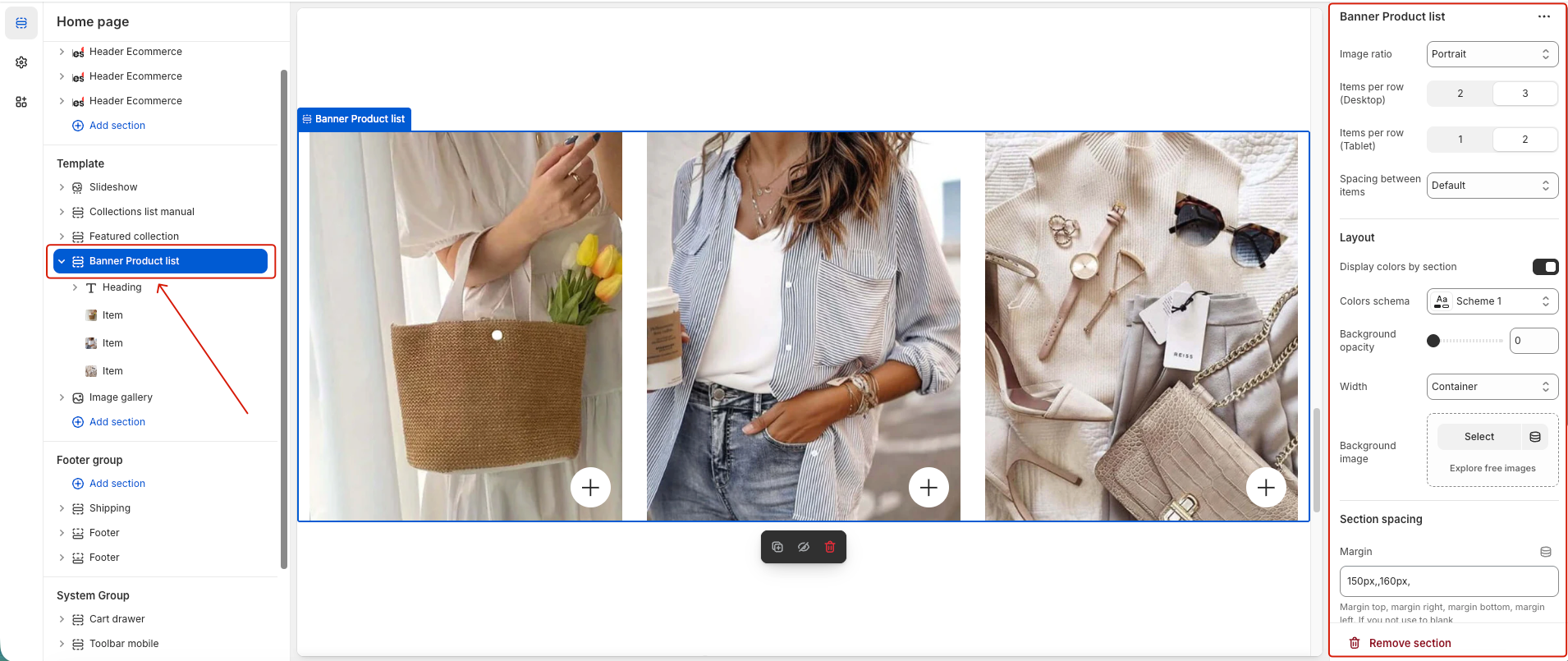
In the main configuration options, you can change the image ratio, and choose how many products to display on different devices.
For the layout, you can customize the color scheme, width, and background image to match your store’s design.
Additionally, you can adjust the section spacing for better visual balance.
1. Heading
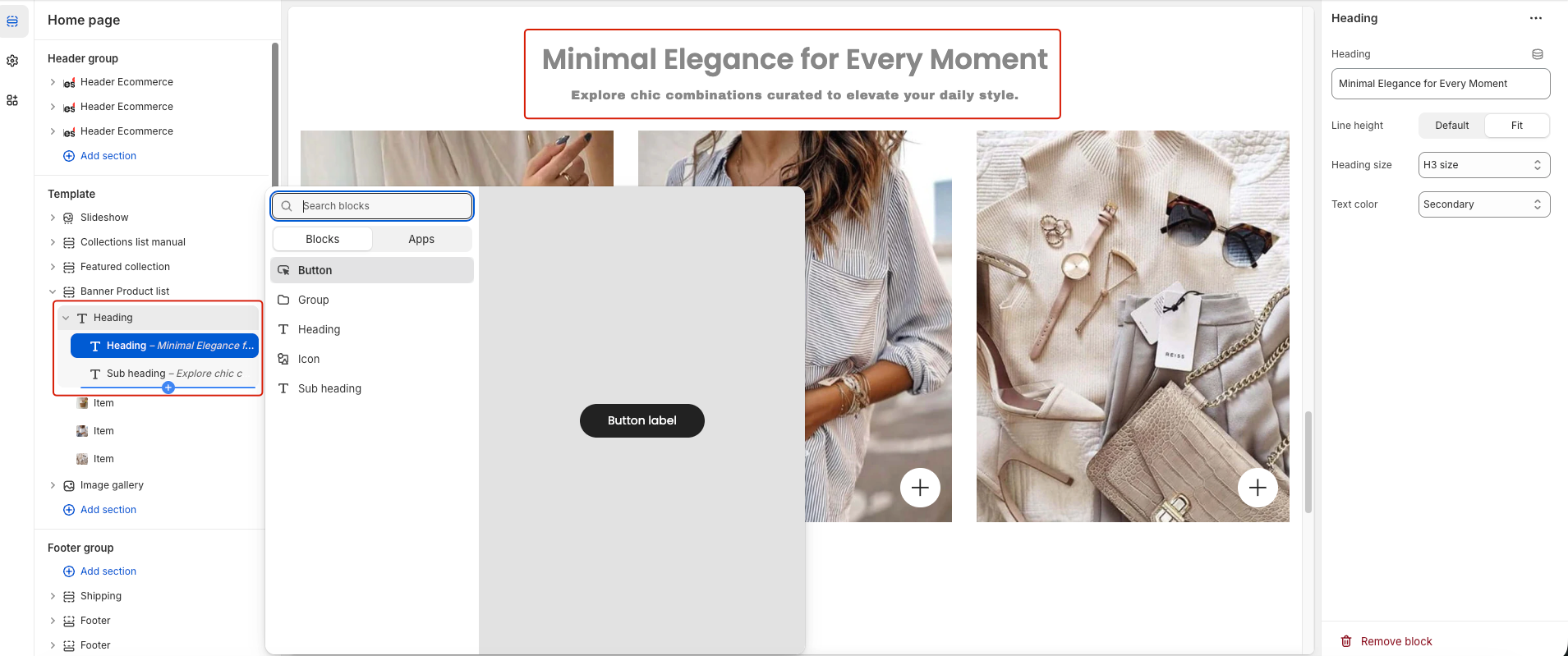
You can add a Heading block to this section. In addition, it supports multiple sub-blocks such as Button, Heading, Icon, and Subheading, allowing you to easily display and customize content as needed.
2. Item
Each item in this section includes a banner and a product list.
You can add multiple items and configure each one by customizing the Title, Image, and Product List to best fit your banner design.


