

Save Big on 4 Premium Themes - Kalles, Ecomus, Unsen, Gecko - 30% OFF! View all discounted items  

Header background

Product Deals

Lucy

Written by Lucy

Last updated

34 views

On this page


The Product Deals feature allows you to add a countdown timer and display a stock bar. This helps create a sense of urgency for customers, encouraging them to make a purchase more quickly and improving conversion rates.

To use Product Deals, add the Custom Section and then drag the Product Deals Product block into it.
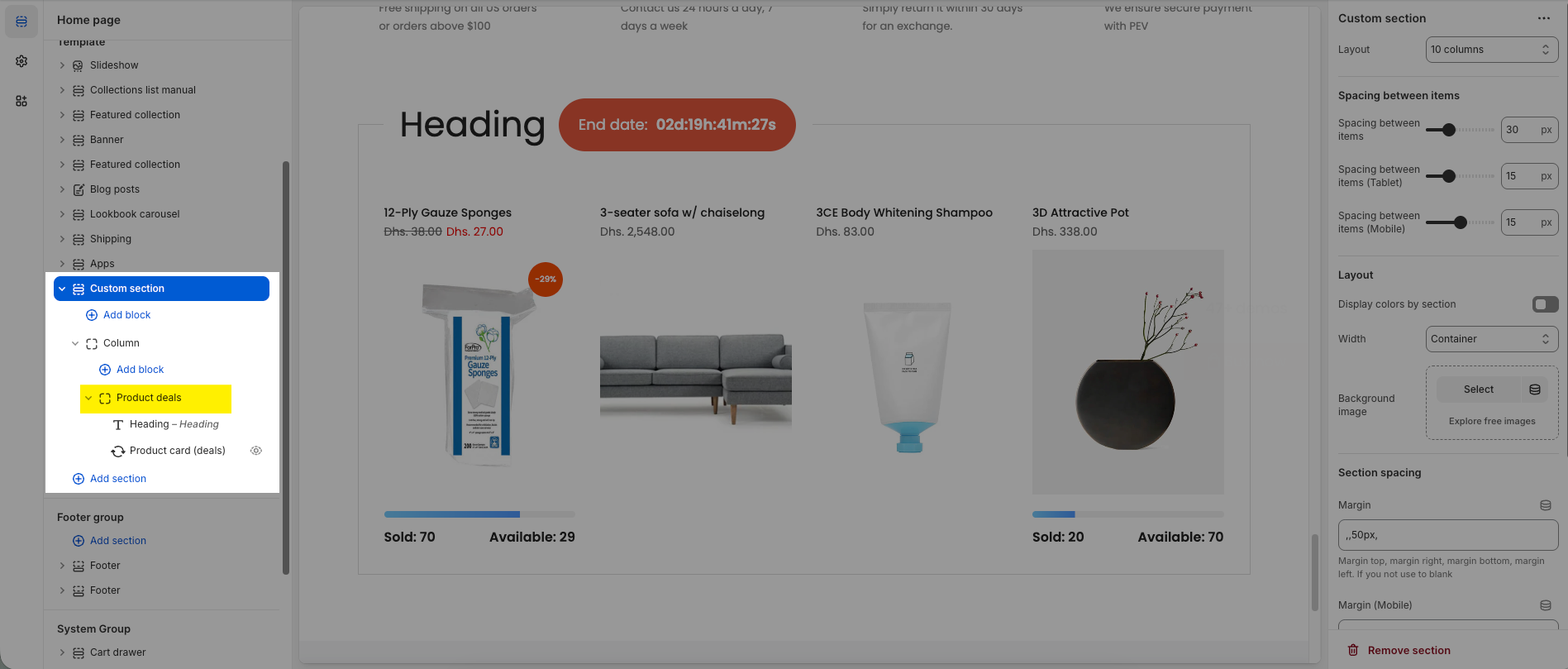
2026-03-05_16-18-47.png

1. Select products to show

Choose the Product Deals Product block and select the products you want to display in the product list.
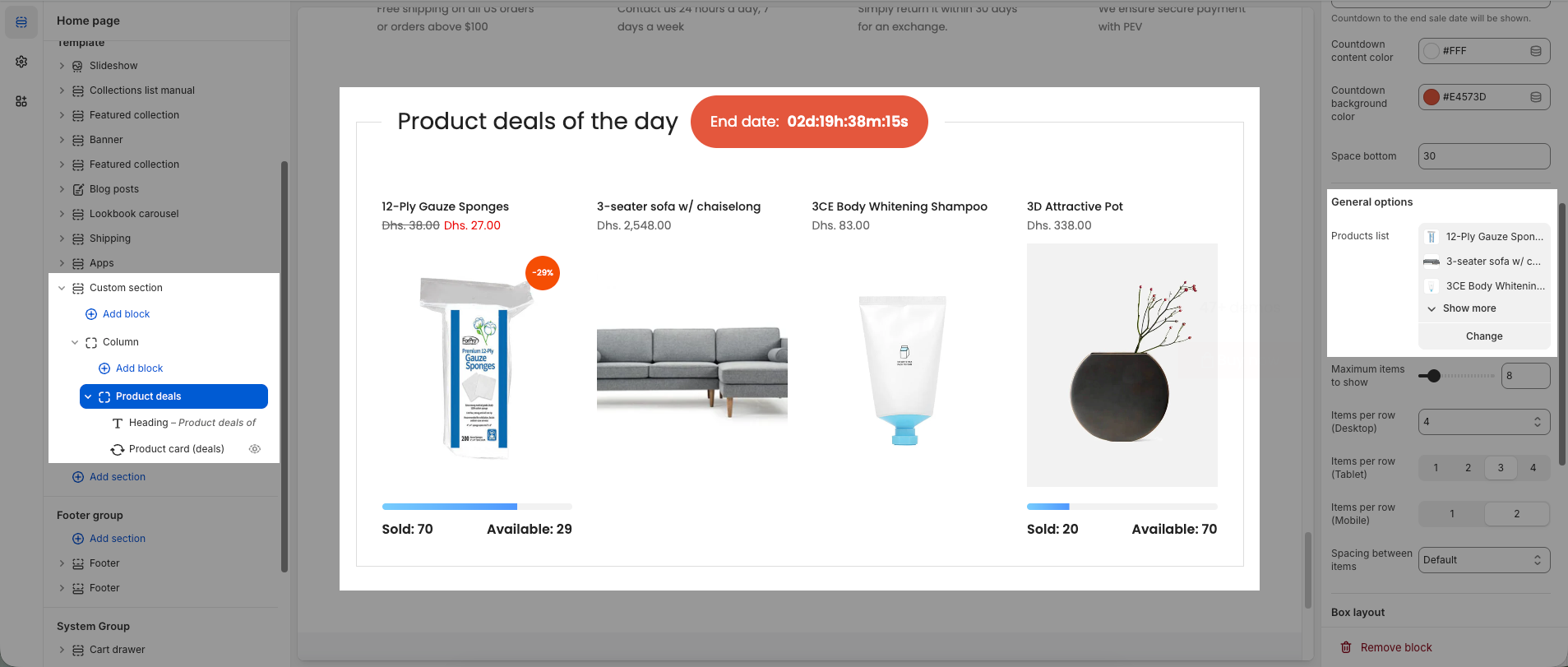
2026-03-05_16-21-45.png

2. Add countdown

The countdown timer will appear next to the heading.
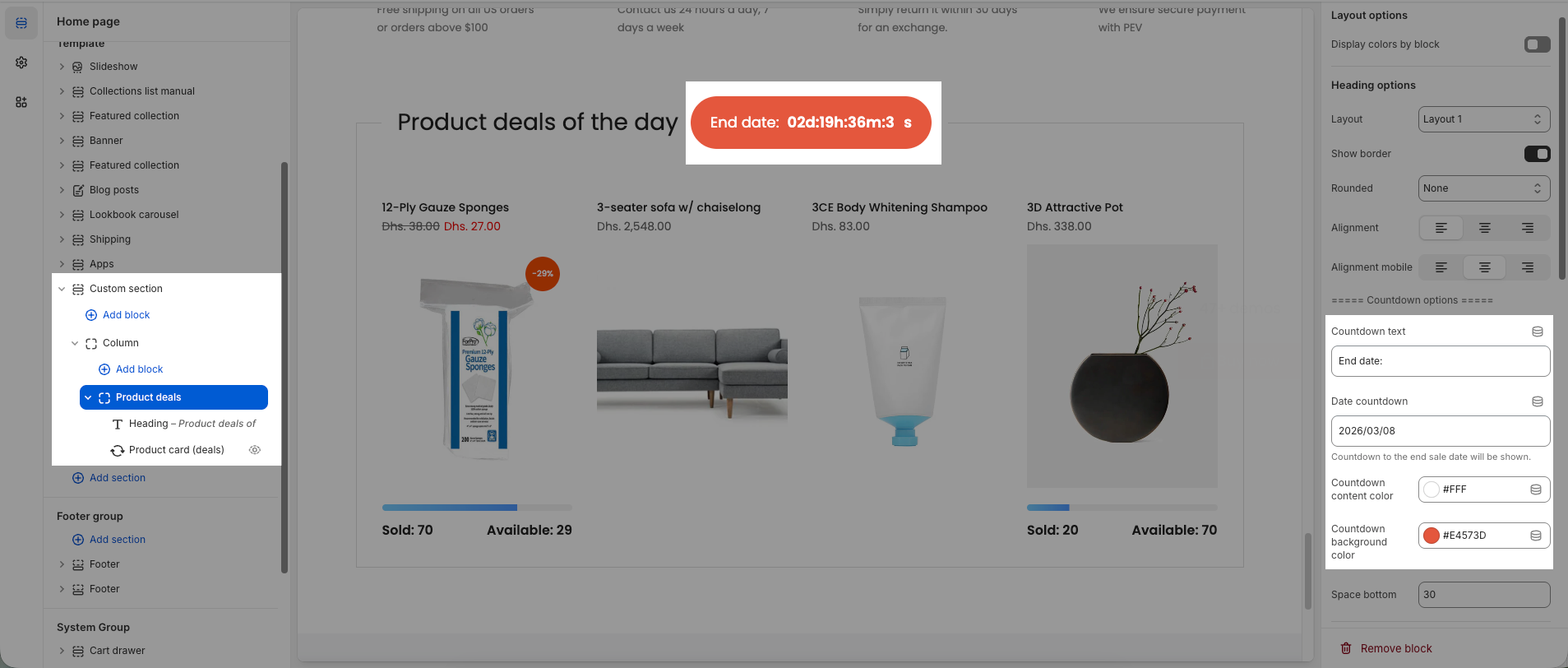
2026-03-05_16-23-24.png

3. Enable stock bar

To display the stock bar, go to the Product card (deals) block and enable the Show stock bar option.
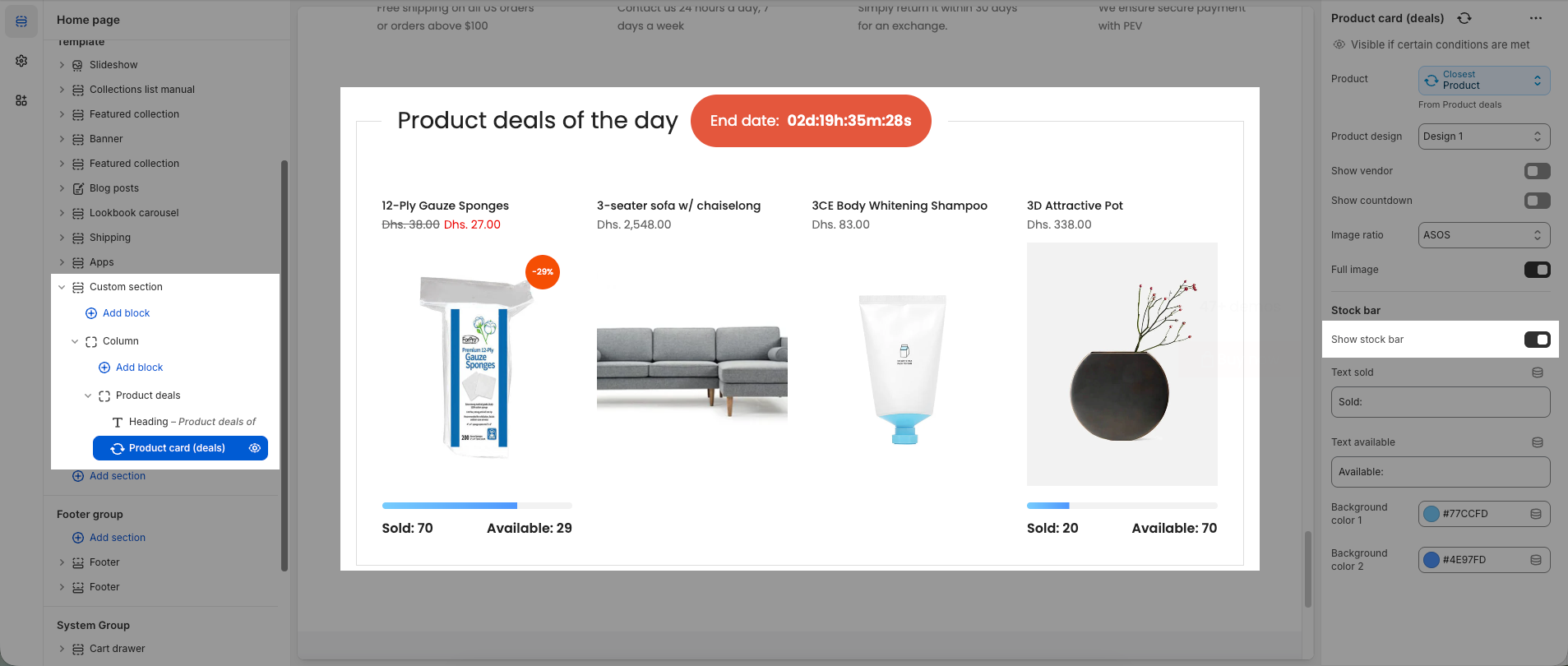
2026-03-05_16-24-32.png

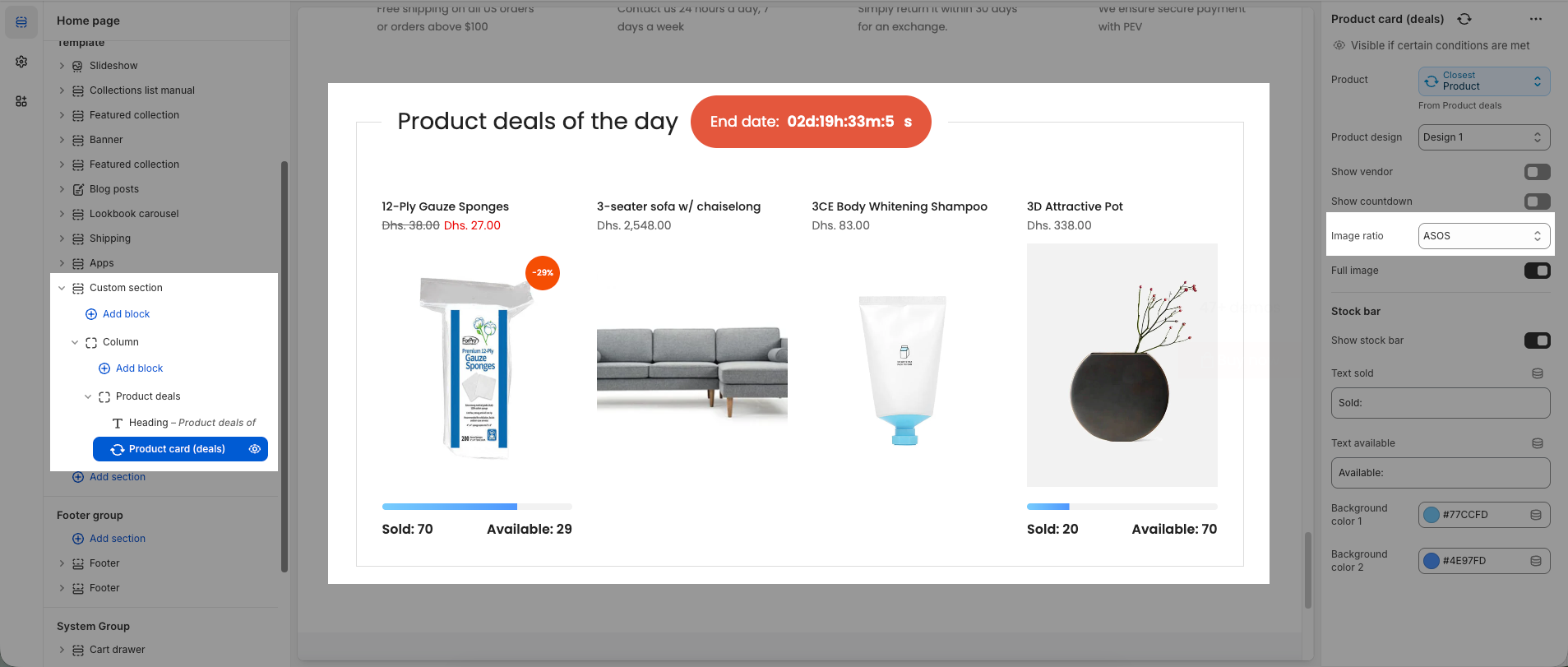
4. Make same image size for products

If product images have different sizes, select a suitable image ratio so the images appear uniform and the product cards look more balanced.

2026-03-05_16-26-05.png

🎁 Exclusive Deals for The4 Customers

EComposer

🎉 EComposer – Free 6-Month Plan

Build landing pages, sales funnels, and more with drag & drop.
The4 users get 6 months free (save $114) on Standard plan.

  • ✅ 300+ templates ready to use
  • ✅ Build any Shopify page
  • ✅ No coding required
🔓 Get 6 Months Free
SectionAI

🤖 EcomRise: Upsell & Bundles

Boost sales effortlessly with product bundles, upsell and cross-sell, buy X get Y, volume discounts

  • ✅ Easy upsell & cross-sell
  • ✅ Works with the latest themes
  • ✅ Trusted by 10k customers
🚀 Get 6 Months Free

Enjoy a free 3-day trial. Then get your first month for $1. Try Now

We uses cookies to ensure you get the best experience on our website.
